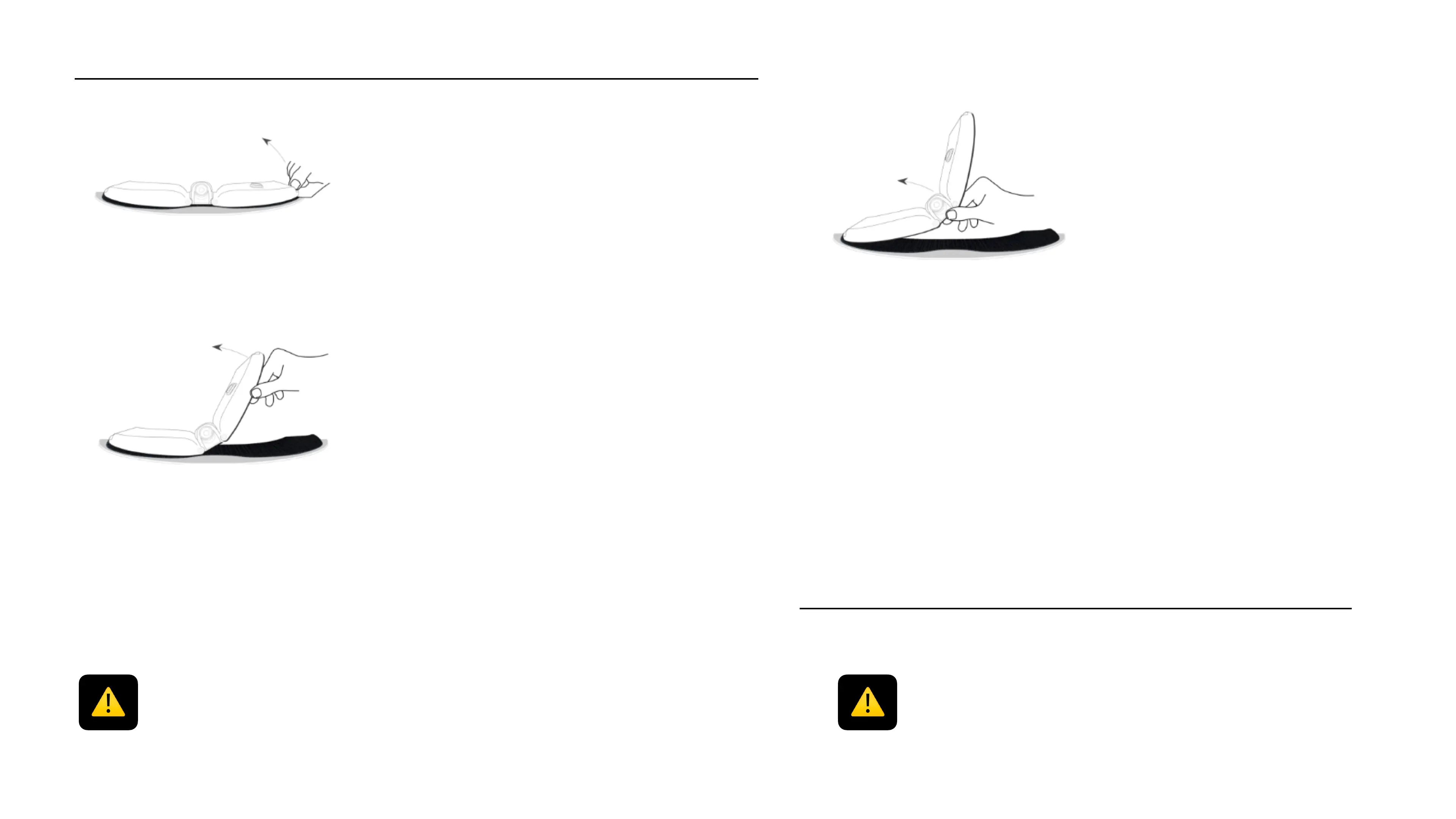
Remove your Cambox
Make sure that the velcro fastener support is in good condition and that there is no
foreign matter that could hinder the fastening of the camera. In that case, plan the
replacement of the velcro by a new original one.
Once the first wing is detached from
its velcro support, accompany the
unfastening process of the Cambox
by applying the same vertical and
circular effort.
Remove the central part and apply
the vertical and circular effort
towards the extremity of the
Cambox to complete removing the
camera.
Grab the strap on the edge of the !
Cambox wing and pull it!
upwards while doing a circular !
movement towards the center of the
Cambox. !
13
IMPORTANT !!
The wings of the Cambox only articulate from up to down and v.v. Make sure not to
fold them from front to back and v.v. or you might damage the articulations and/or the
shell of your Cambox



 To Next Page