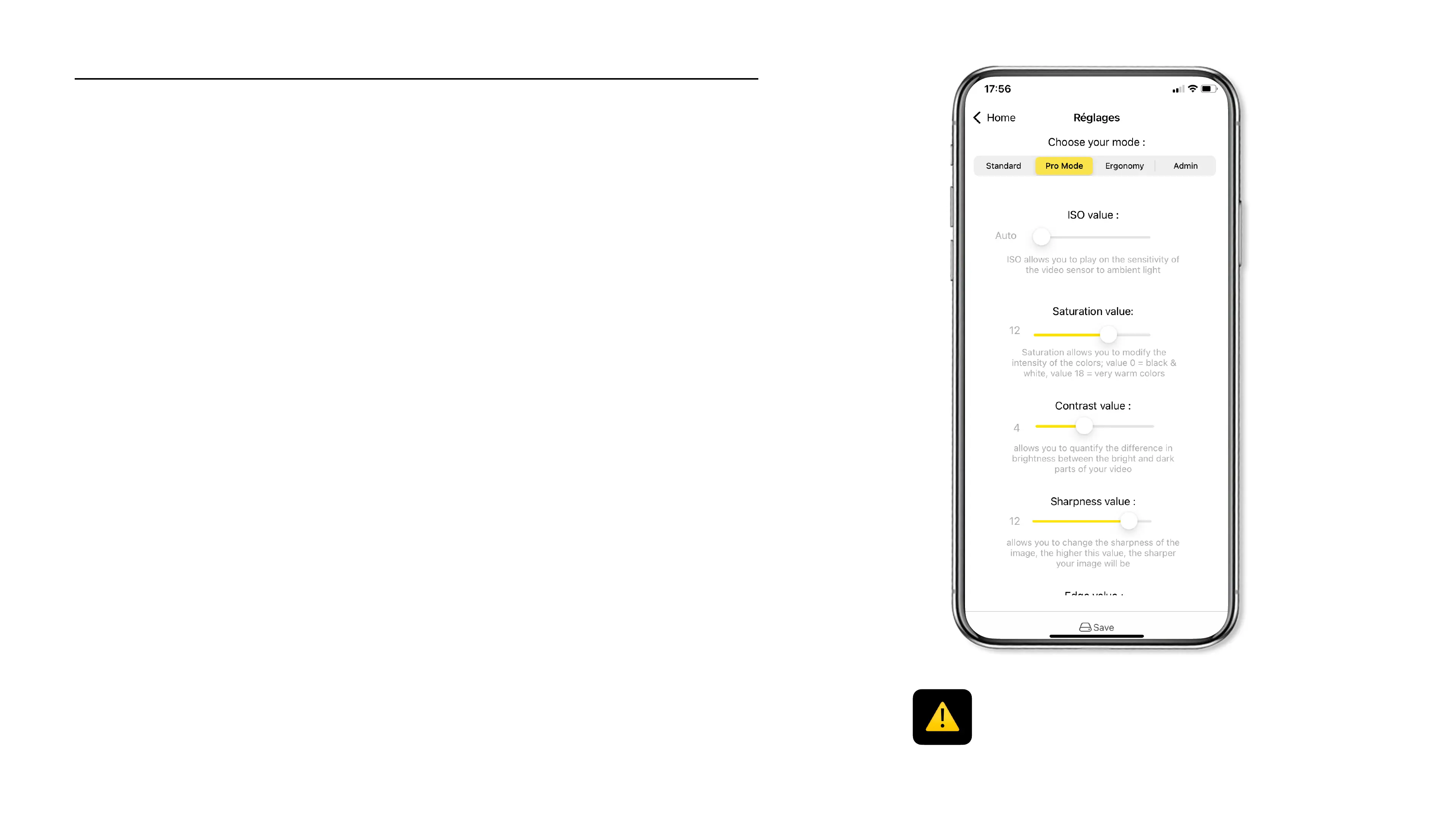
List of advanced settings (Pro Mode only)
ISO
Light sensitivity
Define light sensitivity : !
> Auto*
> 100
> 200
> 400
> 800
> 1600
> 3200
> 6400
Sharpness
Define image sharpness :!
> 0, 1, 2, 3, 4, 5, 6, 7, 8, 9, 10, 11, 12*, 13, 14
Edge Strength
Define edge strength :!
> 0, 1, 2, 3, 4, 5, 6, 7, 8, 9, 10, 11, 12*, 13, 14
Contrast
Contrast management
Define contrast intensity :!
> 0, 1, 2, 3, 4*, 5, 6, 7, 8, 9, 10
Saturation
Colors intensity
Define color intensity (0=black & white 18= warm colors) :!
> 0, 1, 2, 3, 4, 5, 6, 7, 8, 9, 10, 11, 12*, 13, 14, 15, 16, 17, 18
* The advanced settings of the Pro Mode are only
available with the Cambox V4 Pro models.
The sign * indicate the factory default values of the Cambox
26



 To Next Page