Reset the Cambox
Reset the Cambox
Please push the metal pin gently so as not to damage the camera.!
Do not use any sharp objects such as needles, paper clips, toothpicks… or you
might cause irreversible damages not covered by the warranty
Step by step reset process :
1. Make sure your Cambox is not responding to any operation
2. Take the metallic pin supplied with your Cambox
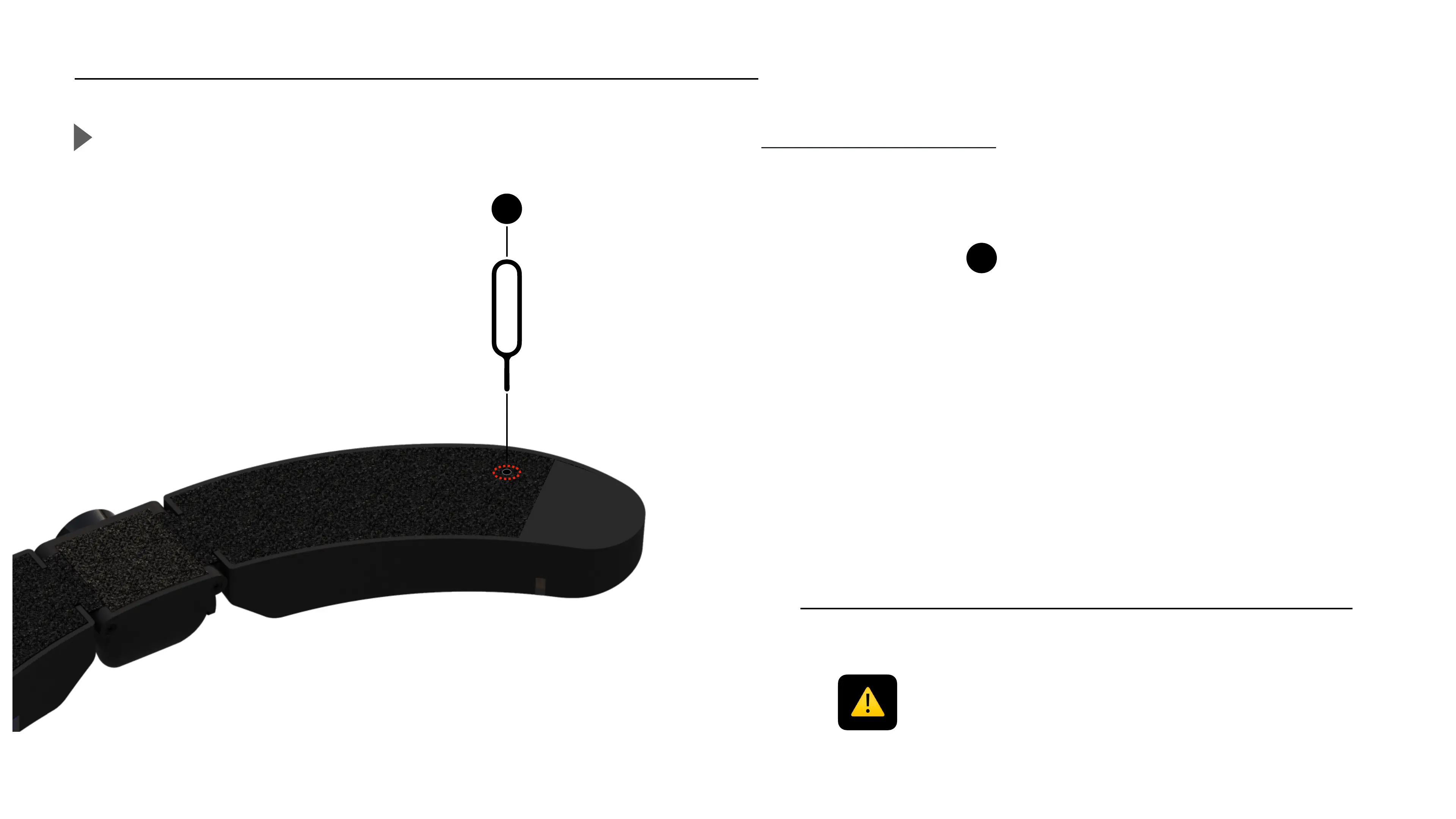
3. Turn your Cambox with the Velcro part facing up, identify the reset hole
4. Insert the pin in the reset hole.
5. Push gently until you feel a click in the reset hole.
6. Your Cambox has been reset, you can now turn it back on
28



 To Next Page