Unlike Windows computers,
that you must manually install
music to any UPnP clients on your network.
include the following;
Elgato EyeConnect
http://www.elgato.com/elgato/int/mainmenu/products/software/EyeConnect.en.html
http://www.allegrosoft.com/ams.html
http://www.twonkyvision.de/
MediaTomb
http://mediatomb.cc/
Cidero (Java)
http://www.cidero.com/radioServer.html
http://www.cybergarage.org/net/cmgate/java/index.html
Please note that these links are to third party UPnP
assistance you will need to contact the UPnP software provider
server in its ‘Media’ menu
The example on the following pages shows
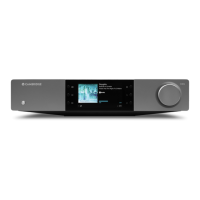
stream music to the Stream Magic product
, you should contact Elgato directly.
s do not currently support a built-
that you must manually install
UPnP server software on your Mac for it to serve
music to any UPnP clients on your network.
Examples of UPnP server software
http://www.elgato.com/elgato/int/mainmenu/products/software/EyeConnect.en.html
http://www.allegrosoft.com/ams.html
http://www.twonkyvision.de/
http://www.cidero.com/radioServer.html
http://www.cybergarage.org/net/cmgate/java/index.html
Please note that these links are to third party UPnP
software providers, so for technical
assistance you will need to contact the UPnP software provider
up on your Mac, the Stream Magic product
play back files from your Mac
The example on the following pages shows
stream music to the Stream Magic product
Elgato EyeConnect. Please note, that the f
if you encounter any difficulties during installation
, you should contact Elgato directly.
UPnP server software on your Mac for it to serve
Examples of UPnP server software
http://www.elgato.com/elgato/int/mainmenu/products/software/EyeConnect.en.html
software providers, so for technical
play back files from your Mac
if you encounter any difficulties during installation


 To Next Page