after restarting your Mac
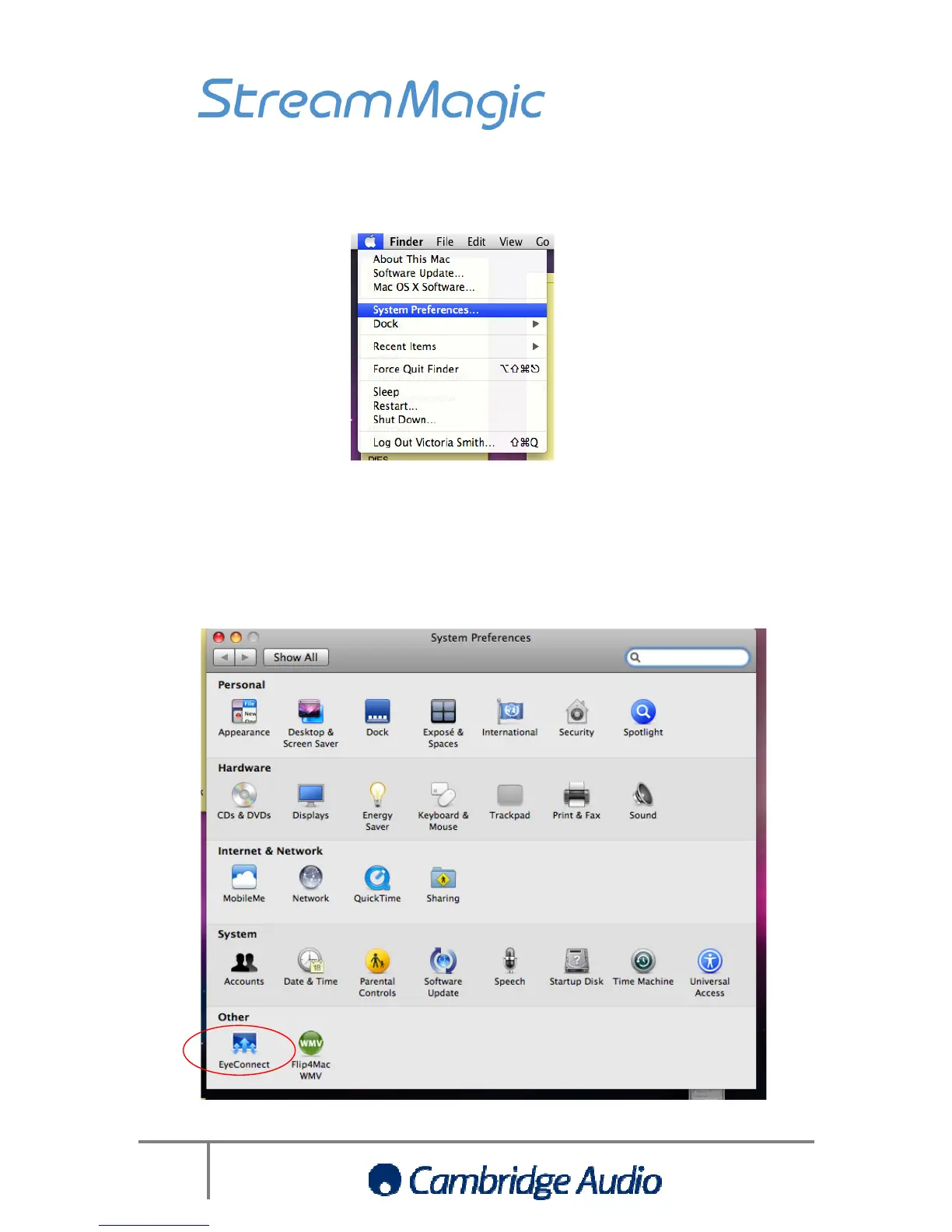
Then click on the EyeConnect icon
menu if you scan for UPnP
t from your Mac through the Stream Magic product
after restarting your Mac
, click the Apple Home menu and select
Then click on the EyeConnect icon
within System Preferences
appear in the Stream Magic product’s
menu if you scan for UPnP
e again be able to play the
t from your Mac through the Stream Magic product
, click the Apple Home menu and select
appear in the Stream Magic product’s
e again be able to play the


 To Next Page