OPERATING INSTRUCTIONS
Loading
and
unloading
discs
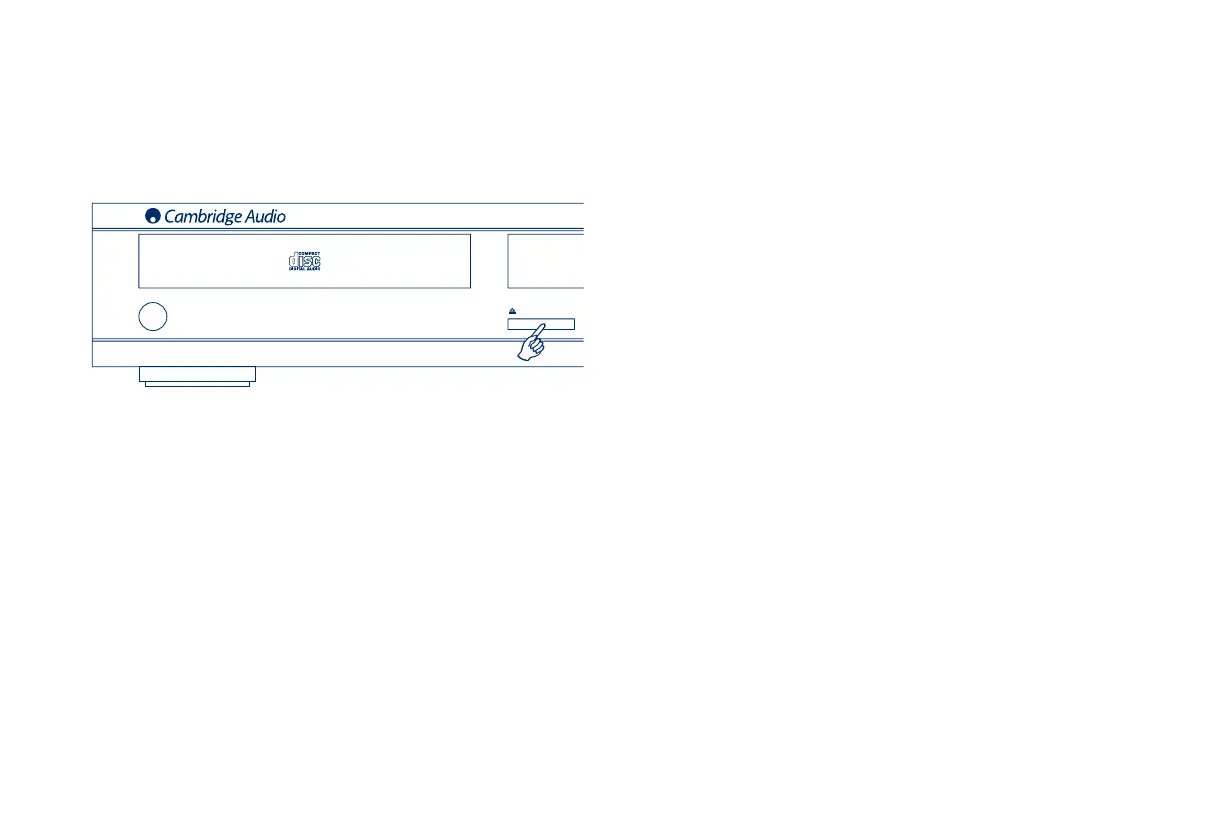
1. Press the Power button.
2. Press the Open/Close button. “OPEN” will appear on the display.
3. When the disc tray has opened fully, place a disc carefully in the tray
with the label side facing up.
4. To close the disc tray, press the Open/Close button again. When the
tray, with a correctly loaded disc, is fully closed the disc will start turn-
ing automatically. “CD READ” will appear on the display. After the CD
player has read the disc it will be ready to play. Pressing Play/Pause
will also close the tray and start playing the disc.
5. The disc tray can be opened at any time by pressing the Open/Close
button. Only remove the disc after the tray has fully opened.
Note:
- Do not put anything except a Compact Disc into the tray, foreign objects
may damage the mechanism.
- Do not force the tray by hand during the opening and closing opera-
tions.
- To avoid dirt and dust entering the mechanism, keep the disc tray
closed.
- If the Compact Disc is seriously scratched or too dirty the player may
not be able to read it or play it.
- Never load more than one disc into the disc tray at one time.


 To Next Page