352*
>3 s
VA/08
beep
352*
>3 s
VA/08
Page 5 - Manual FA01031-IT - 08/2019 - © CAME S.p.A. - The contents of this manual may be changed, at any time, and without notice. - Translation of the original instructions
Page 5 - Manual FA01405-EN - 10/2019 - © CAME S.p.A. - The contents of this manual may be changed, at any time, and without notice. - Translation of the original instructionsPage 5 - Manual FA01405-EN - 10/2019 - © CAME S.p.A. - The contents of this manual may be changed, at any time, and without notice. - Original instructions
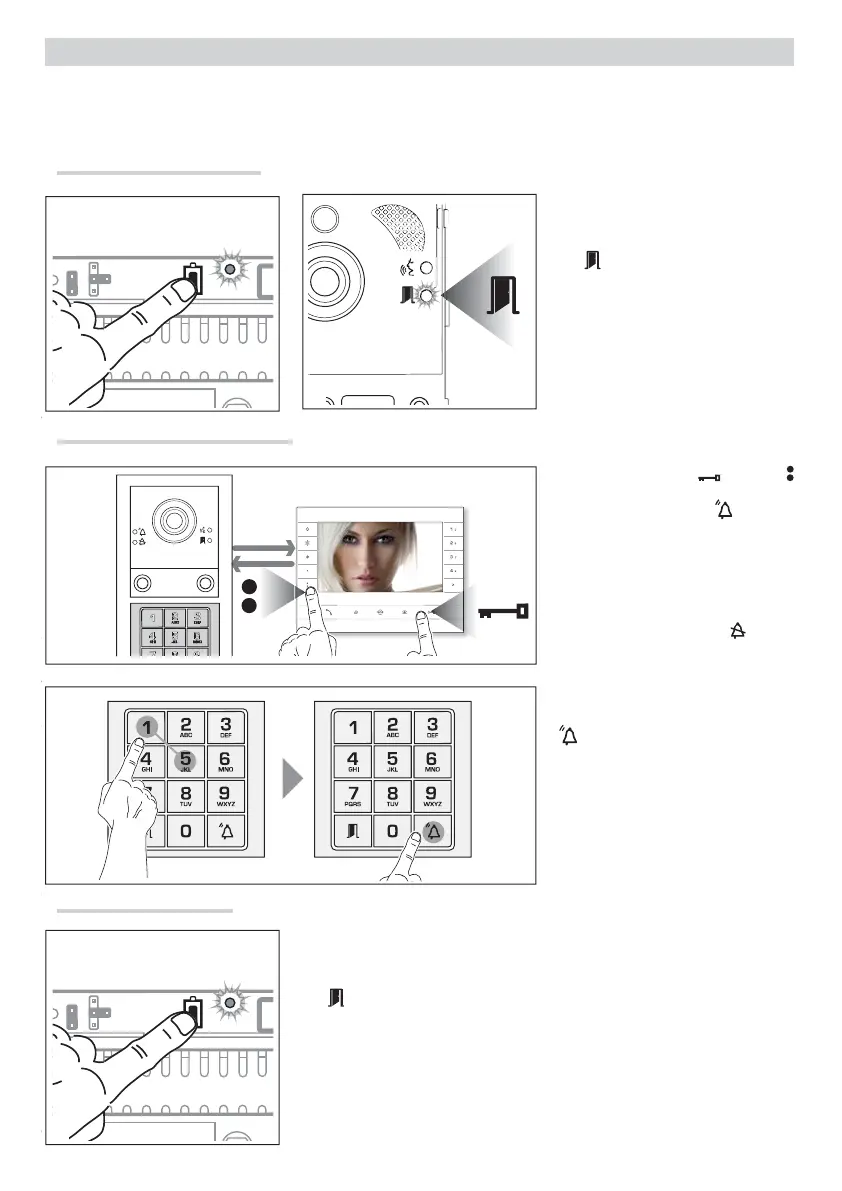
Briefl y press the PROG key .
The
LED on the entry panel and the PROG LED on the power supply go out.
Exiting Programming
Press the door-release and AUX2
keys and enter the group call code (from
1 to 98) followed by key : The call
code is associated with the internal re-
ceiver or the call key chosen Ⓒ and 倔.
Continue, repeating the same opera-
tions for all the other internal receivers.
The operation can only be carried out
from the entry panel with the
LED o .
? To change the entry panel from
which to carry out call programming,
you must press key 1 followed by key
.
Programming the call codes
Press the PROG key until the PROG LED
lights up .
The LED will fl ash to signal entry into
programming .
PROGRAMMING THE CALL CODES
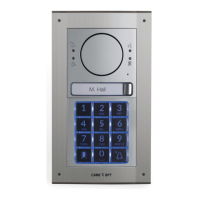
? This programming is available only with audio module MTMA/08 and video module MTMV/08.
Call programming associates a call code with each internal receiver.
Going into Programming



 To Next Page