EasyManua.ls Logo

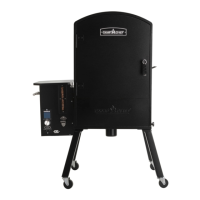
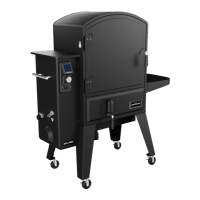
Camp Chef PGSBXXL - User Manual

Camp Chef PGSBXXL
44 pages
Print Icon
To Next Page IconTo Next Page
Loading...
1
OWNER’S MANUAL
MODEL PGSBXXL
A MAJOR CAUSE OF FIRES IS FAILURE TO
MAINTAIN REQUIRED CLEARANCES AIR SPACES
TO COMBUSTIBLE MATERIALS. IT IS OF UTMOST
IMPORTANCE THAT THIS PRODUCT BE INSTALLED
ONLY IN ACCORDANCE WITH THESE INSTRUCTIONS.

Questions and Answers

  • M
    Melanie AdamsAug 19, 2025
    Why is my Camp Chef Smoker not turning on?
    • M
      Mr. Christopher Strickland DVMAug 19, 2025
      If your Camp Chef smoker isn't turning on, ensure it's properly plugged into a functioning outlet. Check the circuit breaker or GFCI switch, and test the outlet with another appliance. Unplug the smoker and inspect the fuse near the power cord inlet on the hopper's back. Replace a blown fuse only with a 4.0 Amp 125 V 5.2x20mm Fast Blow Fuse.
  • J
    Joseph RobersonAug 21, 2025
    What to do if my Camp Chef Smoker does not heat up?
    • B
      blakekyleAug 21, 2025
      If your Camp Chef smoker isn't heating up, first turn off the power and check the hopper for pellets. Also, check the firebox for pellets by using the burner clean-out lever. If pellets are present but not igniting, the heating rod might need replacement—contact customer service. If no pellets are dropping into the burn cup after restarting, check if the auger is turning. If the auger motor is turning but the auger isn’t rotating, the auger pin may be sheared and need to be replaced.
  • J
    James MillerAug 23, 2025
    Why is my Camp Chef Smoker not feeding pellets, but my auger is turning?
    • L
      Lori SmithAug 23, 2025
      If your Camp Chef smoker's auger is turning but not feeding pellets, check the hopper to ensure it contains pellets. Also, inspect the area to see if anything is blocking the pellets from entering the auger chamber.
  • R
    richard14Aug 26, 2025
    Why am I blowing the fuse on my Camp Chef Smoker?
    • F
      fjohnsonAug 26, 2025
      If your Camp Chef smoker is blowing fuses, the hot rod is the most likely culprit, but you should also check the blower and auger motor. Disconnect the hot rod wires (purple) from the controller and try turning on the smoker. If the fuse doesn't blow, the hot rod is likely the issue. Repeat this process with the other wires. Always replace the fuse with the correct type: a 4 AMP 125 or 250 V Fast Blow Fuse.
  • M
    Marc FriedmanAug 28, 2025
    What to do if my Camp Chef Smoker Ash Clean-out is stuck?
    • P
      Peter PerezAug 28, 2025
      If the ash clean-out on your Camp Chef smoker is stuck, try hitting the plate from the bottom of the smoker in an upward motion, using a rubber mallet. Alternatively, you can try hitting it downward from inside the smoker. This should help to free the stuck pieces.
  • Z
    zjonesAug 30, 2025
    Why is my auger not turning on my Camp Chef Smoker?
    • M
      Megan LunaAug 30, 2025
      If the auger in your Camp Chef smoker isn't turning, it's possible that wet pellets have swollen and jammed it. If you suspect this is the case, contact customer support. Disassembly will be required to access and clean out the jammed pellets from the auger chamber.
  • C
    Carol LewisSep 1, 2025
    How to reconnect WIFI/Bluetooth on Camp Chef Smoker?
    • K
      Karen PowellSep 2, 2025
      To reconnect WIFI/Bluetooth on your Camp Chef Smoker: 1. Remove the smoker from your account in the app’s Device Management by swiping it to the left. 2. Forget or unpair the “CampChef:xx:xx” item in your phone’s Bluetooth settings. 3. Reset the smoker via the main menu to forget Bluetooth and WiFi configurations. 4. Turn the smoker off, wait 5 seconds, and turn it back on. Close and reopen the app. 5. Search for the smoker in the app and select it. Enter the PIN displayed on the smoker when prompted. 6. The app will scan and display available WiFi networks. 7. Select your WiFi network and enter the password.
  • J
    juliaandrewsSep 4, 2025
    Why does my Camp Chef Smoker show 'FLAME OUT'?
    • B
      Bradley GrahamSep 4, 2025
      The 'FLAME OUT' error on your Camp Chef smoker indicates that the fire has gone out or fallen below a certain temperature and hasn't recovered. This is more common in winter. Ensure your pellets are dry and not retaining any moisture. If they crumble easily, they likely contain moisture.
  • D
    Destiny CookeSep 6, 2025
    What does 'SENSOR - - -' mean on my Camp Chef Smoker?
    • M
      melanie05Sep 6, 2025
      The 'SENSOR - - -' error code on your Camp Chef smoker relates to the meat probe. Verify that the meat probe is correctly inserted into the port on the faceplate. If it's inserted, try unplugging and re-plugging it. If the error persists, you may need a new meat probe.
  • M
    Michelle MarshallSep 8, 2025
    What does 'RTD ERROR' mean on my Camp Chef Smoker?
    • L
      Linda FordSep 8, 2025
      The 'RTD ERROR' code on your Camp Chef smoker indicates an issue with the RTD. Check to ensure the RTD connection is secure. Try unplugging it and plugging it back in. If the error code continues, you might need to replace the RTD.

Summary

Important Safety Warnings

Outdoor Use Only

Emphasizes the appliance is designed and intended for outdoor use only.

Carbon Monoxide Awareness

Alerts users to the dangers of carbon monoxide and its symptoms.

General Warnings

Pre-Operation Checks

Details essential inspections and clearances required before using the smoker.

Safe Operation Practices

Covers user responsibilities, supervision, and environmental considerations during operation.

Pellet Handling and Storage

Advises on the correct type of pellets to use and proper storage methods.

XXL Pro Overview

Key Features: Smoke Box & Ash Clean-out

Highlights the smoke flavor amplification and the convenient ash disposal system.

Connectivity and Controls

Introduces the WiFi controller, Camp Chef Connect app, and ventilation system.

Racks, Hooks, and Materials

Describes the included racks, hooks, and the use of stainless steel components.

Using the Smoke Box

Smoke Box Operating Instructions

Provides a step-by-step guide on how to load and operate the smoke box for added flavor.

Controller Overview

Controller Interface and Menu Navigation

Explains the digital display, dial controls, and the main menu functions.

Quick Start Guide

Initial Burn-In and Setup

Guides new users through the essential first-time setup and burn-in process.

Using Your Smoker

Pre-Cook Smoker Preparation

Details the necessary steps to prepare the smoker before starting a cook.

Using Your WiFi Controller

Setting Temperature and Smoke Levels

Explains how to adjust temperature settings and smoke levels via the controller interface.

Controller Modes and Functions

Covers specific controller modes like Feed, Units, About, and Reset for operational control.

Bypass and Shutdown Procedures

Details how to use the bypass function and the proper shutdown sequence for the smoker.

Camp Chef Connect App

App Installation and Smoker Pairing

Guides users on downloading the app and connecting it to their smoker via WiFi.

App Features for Monitoring and Control

Describes features such as probe monitoring, temperature graphing, and smart timers.

Smoker Maintenance

Routine Cleaning Practices

Provides instructions for quick cleanups between cooking sessions and basic ash disposal.

Deep Cleaning and Exterior Care

Details thorough cleaning of the interior, exhaust vents, and exterior surfaces.

Pellet Storage Best Practices

Advises on how to store pellets to prevent moisture absorption and maintain quality.

Frequently Asked Questions

Pellet Usage and Startup Questions

Answers common inquiries regarding pellet types, startup times, and initial smoke.

Temperature and Smoke Behavior Queries

Addresses questions about temperature fluctuations, low-temperature operation, and smoke consistency.

Troubleshooting

Common Operational Problems

Offers solutions for issues like the smoker not turning on or failing to heat up.

WiFi and Bluetooth Connectivity Issues

Provides steps to diagnose and resolve problems with wireless connections.

Error Codes and Their Meanings

Explains specific error codes displayed by the controller and how to address them.

Service and Warranty

Limited Warranty Details

Outlines the terms, conditions, and exclusions of the product's limited warranty.

Maintenance Requirements for Warranty

Specifies essential maintenance tasks required to uphold the warranty coverage.

Replacement Parts

Main Smoker Component Identification

Lists key replacement parts for the main body and cooking components of the smoker.

Hopper Replacement Parts

Hopper and Auger System Parts List

Identifies specific replacement parts for the pellet hopper, auger, and related components.

Controller Wiring Diagram

Electrical Component Connections

Illustrates the internal wiring schematic of the controller and its connected components.

Camp Chef PGSBXXL Specifications

General IconGeneral
BrandCamp Chef
ModelPGSBXXL
CategorySmokers
LanguageEnglish

Related product manuals