Instructions:
Power ON:
1, The Camera
Connect the camera to the included power adapter, the green indicator
will light up and the camera will automatically power on.
2, The Monitor
Press and hold
Power button for 3 seconds, the monitor will power
on, and the monitor will automatically enter main interface and start
transmission .
Main Interface:
After boot-up, the monitor will enter main interface and start real-time
view automatically.
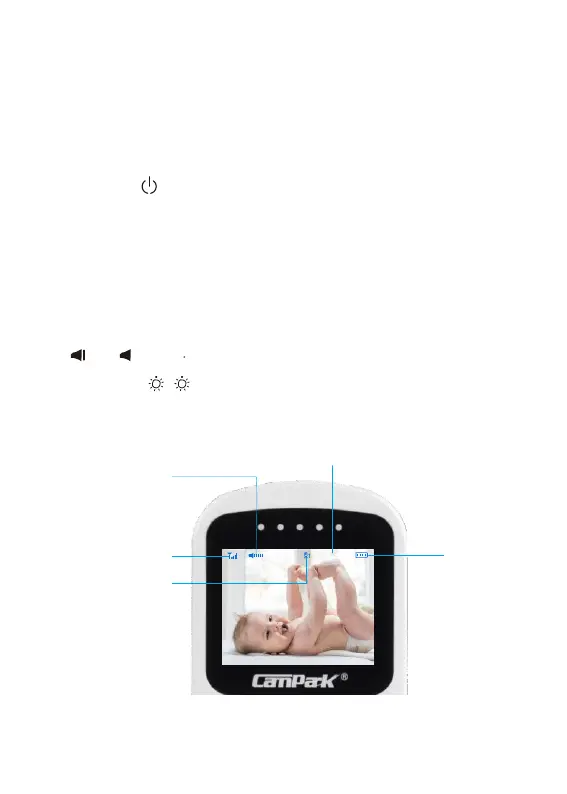
In the main interface,
Press and
to adjust speaker volume of the monitor.
Press Left/Right
/
button to adjust the brightness of the monitor
display.
Monitor Volume Level
Temperature
Wireless Signal
Strength
Monitor Power
Camera Channel


 To Next Page