Setup Menu
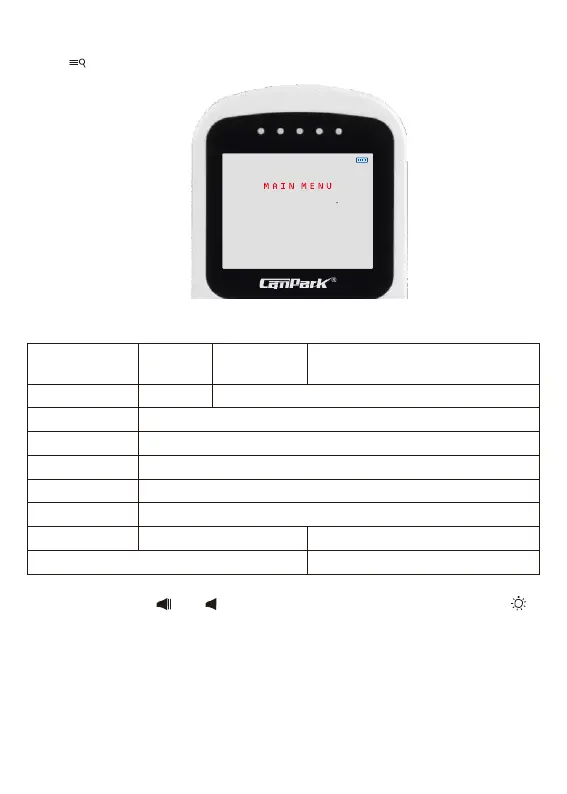
Press
MENU button in main interface to setup menu:
Adjust live view brightness
Choose temperature display unit
Turn ON/OFF white LED lamp
Choose to connect multiple cameras.
Turn ON/OFF feeding reminder notification
In the setup menu, press
and
button to scroll through the setup menu, press left/right
button to adjust the setting value.
Except for the “Pairing” option, to pair the camera and the monitor, choose the “Pair” option and
press OK button to pair the camera.
NOTICE :
The camera and monitor has been paired in advance, you donʼt have to pair them again.
B
r
i
g
h
t
n
e
s
s
T
e
m
p
r
e
a
t
u
r
e
L
i
g
h
t
L
e
d
P
a
i
r
i
n
g
M
u
s
i
c
U
o
x
F
e
e
d
i
n
g
E
x
i
t
M
e
n
u
O
F
F
1
O
F
F
O
F
F
O
F
F


 To Next Page