BUTTONOPERATION
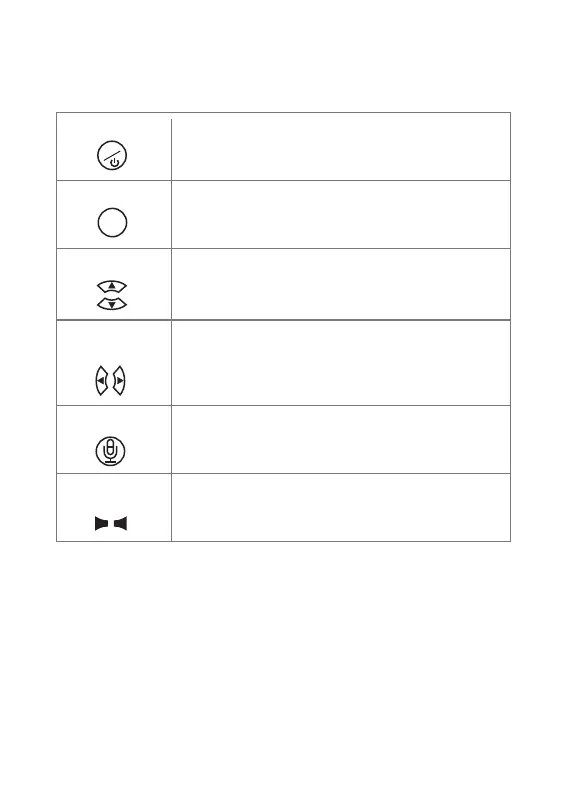
LongpresstoturnON/OFFtheunit
Inliveviewmode,shortpresstoentersetupmenu.
InSetupMenu,shortpresstoexitcurrentmenu.
Power/Menu
Confirmselectionorchangesinsetupmenu.
lInliveviewmode,shortpresstoadjustscreenbrightness.
InSetupmenu,shortpresstoadjustvaluesandselections.
Inliveviewmode,shortpresstoadjustscreenbrightness.
InSetupmenu,shortpresstoadjustvaluesandselections.
Withmultiplecameraconnected,inliveviewmode,
shortpresstoswitchdifferentcameraview.
Inliveviewmode,pressandholdIntercombuttontotalk
tothecameraunit.
Inliveviewmode,Adjustthespeakervolume.
VolumeUP/Dowm
Intercom
LEFT/RIGHT
UP/Down
OK
M
OK
+
-
7



 To Next Page