5. USING THE CAMERA AND SETUP
MENU
5. 1 Using The Camera
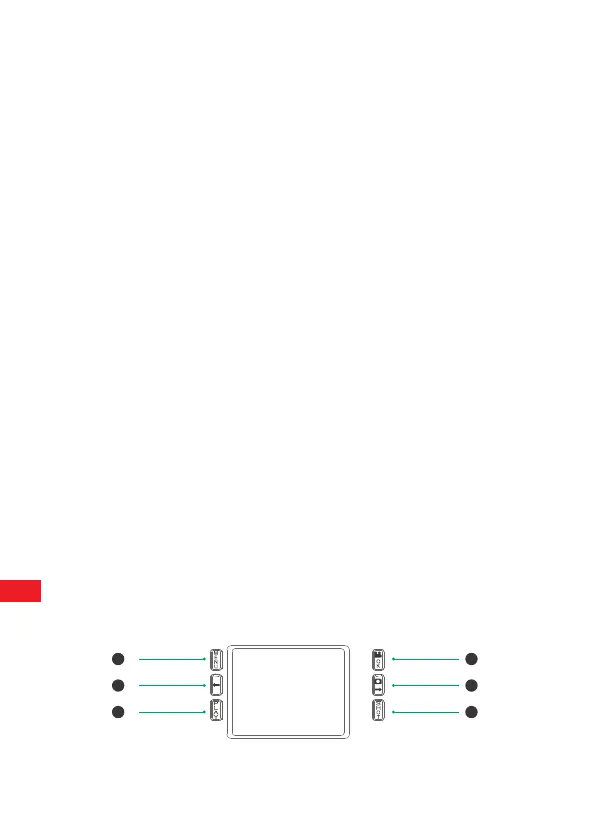
1.Operating Buttons
Functions of operating buttons in recording mode:
Below, the operating buttons are described in the recording mode with
non-activated menu.
1. Menu : Short press to enter or exit setup menu
2. UP: Short press to scroll through the setup menu and select media files
In playback.
3. Playback : Short press to enter or exit Playback Mode.
4. OK/Video Mode:
Short press to confirm choice in setup menu.
Short press to switch to Video Mode in Photo Mode
5. Down/ Photo Mode :
Short press to scroll through the setup menu and select media files in
playback.
Short press to switch to Photo Mode in Video Mode
6. Shot: Short press to take a photo or start/stop video recording.
1
2
3
4
5
6
EN
8


 To Next Page