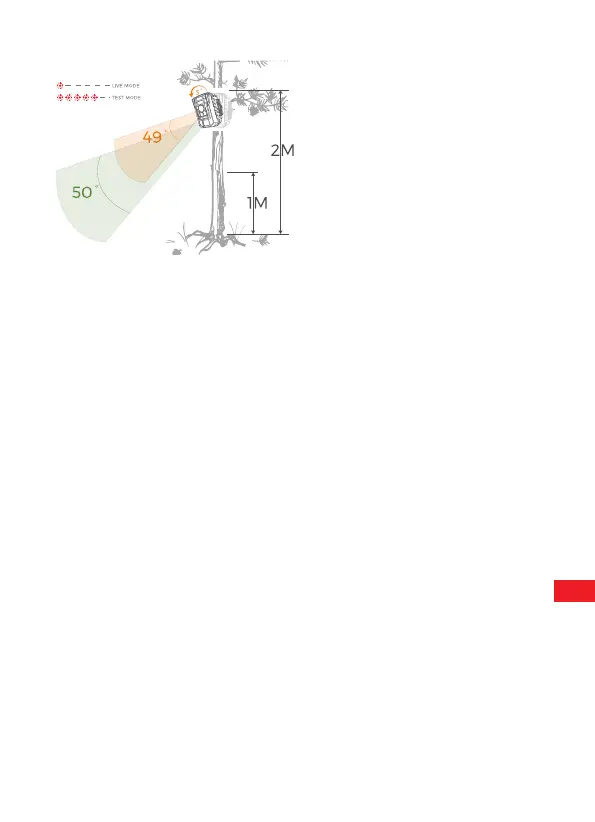
6.2 Setting Up The Live Mode
As soon as wild animals or other objects directly enter the detection area of
the sensor zone, the camera starts to record photos and videos.
The standard application of the Wildlife Camera is the Live mode.
In this mode , photos are either triggered by movement sensors or at
intervals according to the respective setting.
To set up the Live mode , switch mode switch to ON position. The red
LED will flash for 15 times when you just switch to Live mode (ON),
and then the camera work automatically and enters the Standby mode.
EN
17


 To Next Page