Button Function and Interfaces:
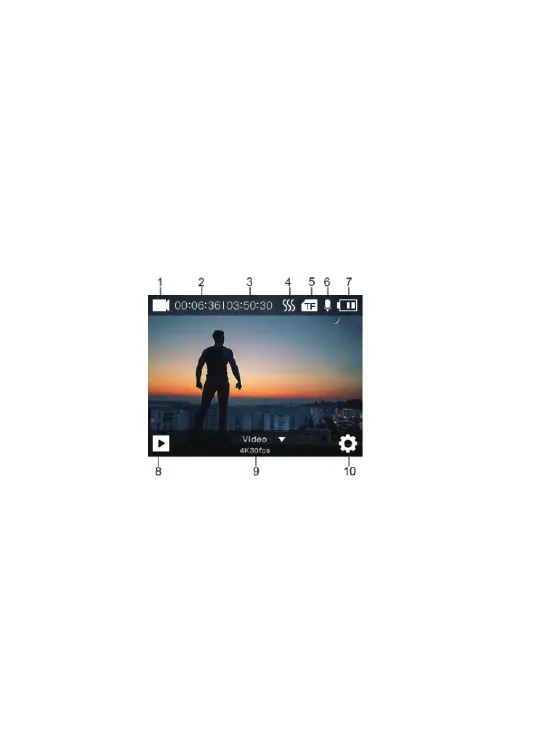
Video Mode :
1. Video Mode Icon
2. Recording Time
4. Image Stabilizer Icon
3. Remaining Recording
Time
5. Memory Card Status
6. Audio Recording
Status
8. Playback
7. Power Status
9. Mode Selection
10. Setting Menu
3. Auto power off: The camera will turn off after the camera is
idle for a certain time (Default time is 3mins)
4. Low power : When the camera is in low power, battery
symbol shows blank. Please charge the camera in time. Or
The camera will turn off automatically.
6



 To Next Page