7. Control via the App 7. Control via the App
14 15
ENGLISH ENGLISH
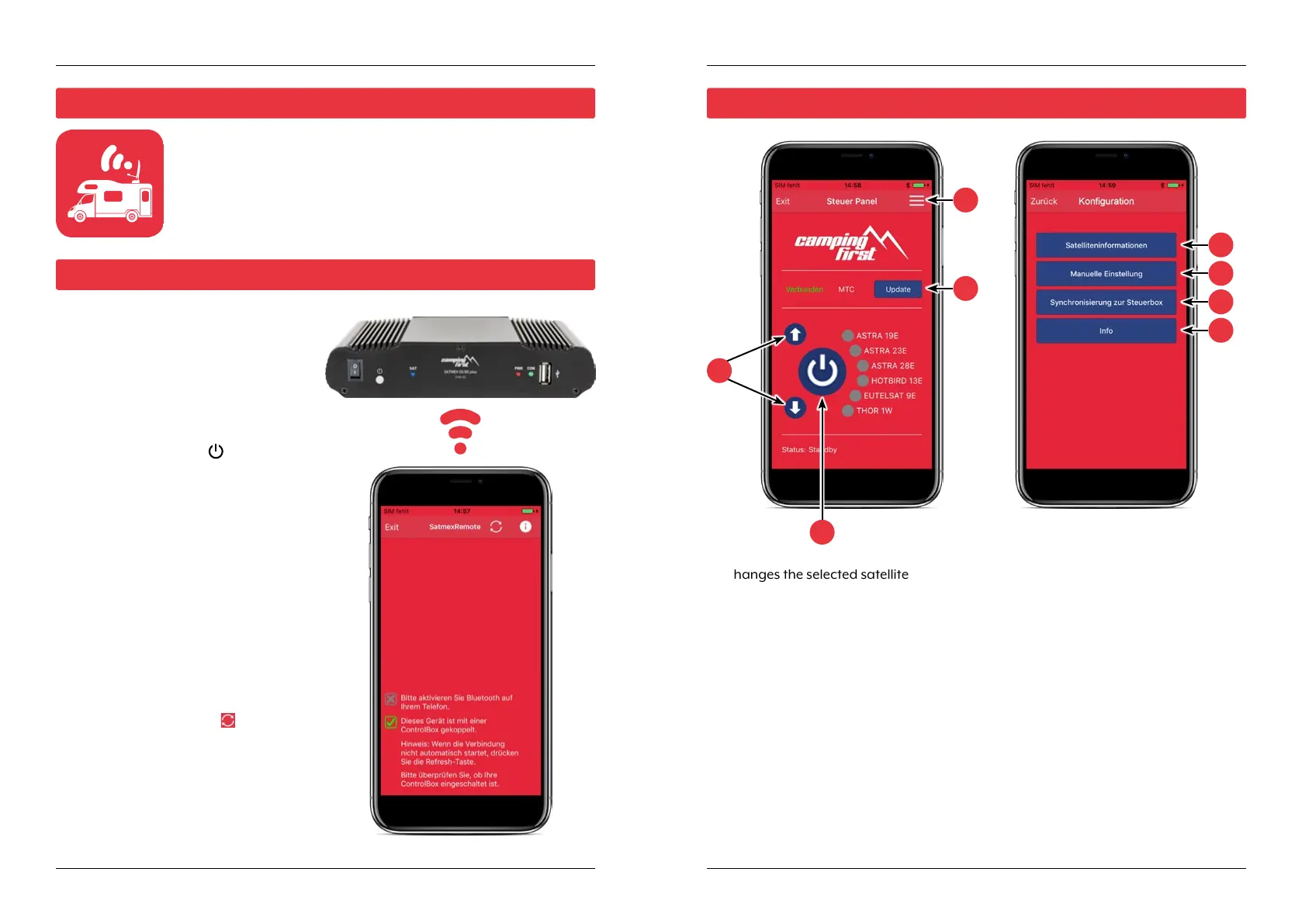
First you have to download the app. You can find it in the AppStore
and Google PlayStore under the following name: SatmexRemote
The first time you use it, you must pair
the control device with the mobile
device. Note: This is only necessary for
the first use!
1. Open the SatmexRemote app.
2. To activate pairing mode, press and
hold the standby key (
) on the
front of the control unit until a signal
tone is heard.
3. Wait until your mobile device detects
the control device.
Note: Make sure that you have
activated Bluetooth® on your mobile
device and that you are only max. 5
metres away from the control device!
4. When the pairing process is comple-
te, a message appears on the mobile
device.
5. If the connection is not established
automatically, press the
-button in
the app.
1. Changes the selected satellite (up / down).
2. Opens or closes the antenna.
3. Opens the „Configuration“ page.
4. Updates the satellite configurations (firmware update) if available.
5. Displays the satellite parameters.
6. Open the manual setting menu.
7. Synchronization with the control unit. If the control panel is connected or disconnec-
ted to the control unit, synchronization is required to detect hardware changes.
Synchronization is also necessary to obtain configuration changes made via USB.
8. Displays the device information.
7.1 Installing the App on the Mobile Device
7.2 Connection to the control unit
7.3 Declaration of the App
1
2
4
3
8
7
6
5


 To Next Page