
 Need help?
Do you have a question about the CamRanger MINI and is the answer not in the manual?
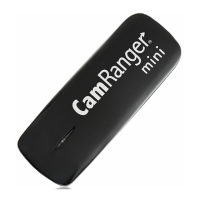
Connect a USB micro cable to charge the device via a USB port or adapter.
Download the CamRanger Mini App from the Apple App Store for iOS devices.
Connect the camera to the CamRanger Mini using the appropriate USB cable.
Join the CamRanger WiFi network using the serial code as the password.
Displays the current WiFi network and offers Connect, Cached Images, and Settings options.
The main camera control screen displayed after successful connection.
Updates with new live view frames; touch focus and overlays are available.
Adjusts camera exposure parameters between shots for HDR bracketing.
Configure shutter speed, aperture, ISO, mid-point, step size, and number of shots.
Set initial delay, time between shots, and number of shots for time-lapse.
Automates focus stacking by specifying nearest/furthest points and step size.
Ensure WiFi connection, check battery, disable other WiFi, avoid interference.
Optimize performance by proximity, avoiding interference, and managing RAM.
 General
| Operating Temperature | 32°F to 104°F (0°C to 40°C) |
|---|---|
| Product Type | Wireless camera controller |
| Wireless Range | 150 ft (45 m) |
| Compatibility | Canon, Nikon, Sony |
| Control Features | Time-Lapse |
| App Compatibility | iOS and Android |
| Connectivity | Wi-Fi |
| Ports | USB |
| Charging | USB |
| Supported Functions | Camera control, image transfer, live view |

 To Next Page