•
HDR/Focus Stack Delay - add an additional delay between captures during focus
stacking and HDR. This can be useful for things such as allowing flashes to recharge.!
•
200% Live View Zoom - adds a 200% live view zoom level in addition to fit to window
and 100%, if the camera supports 200% zoom!
•
Classic Focus Stacking - configure focus stacking with the original CamRanger
method where the user selects the step size and number of shots!
•
System!
•
Cache Size - sets the maximum storage size for recently viewed images!
•
Clear Cache - deletes all caches images!
•
Firmware Update - only visible when a firmware update is available!
•
User Manual - view this document!
•
Email Support - Opens a newly created email addressed to email CamRanger support!
•
Legal - Display terms, conditions, warning information, and licenses!
•
CamRanger Version - the first digits are the software/app version and the digits after the
final period is the CamRanger firmware version!
•
Exit - closes the current session and returns to the connection screen!
PT Hub & MP-360 Tripod Head!
To use the PT Hub and motorized tripod head a CamRanger and supported camera are
required.!
PT Hub Hardware
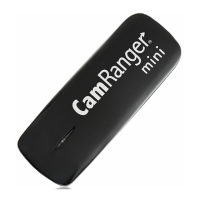
1. USB A Connector - Connects to CamRanger!
2. Serial Connector - Connects to PT Hub!
3. USB B Connector - Connections to camera!
MP-360 Motorized Tripod Head Hardware
•
Threaded Mounting Point - 1/4 20 threaded female opening for mounting to an existing
tripod head (does NOT mount directly onto tripod legs)!


 To Next Page