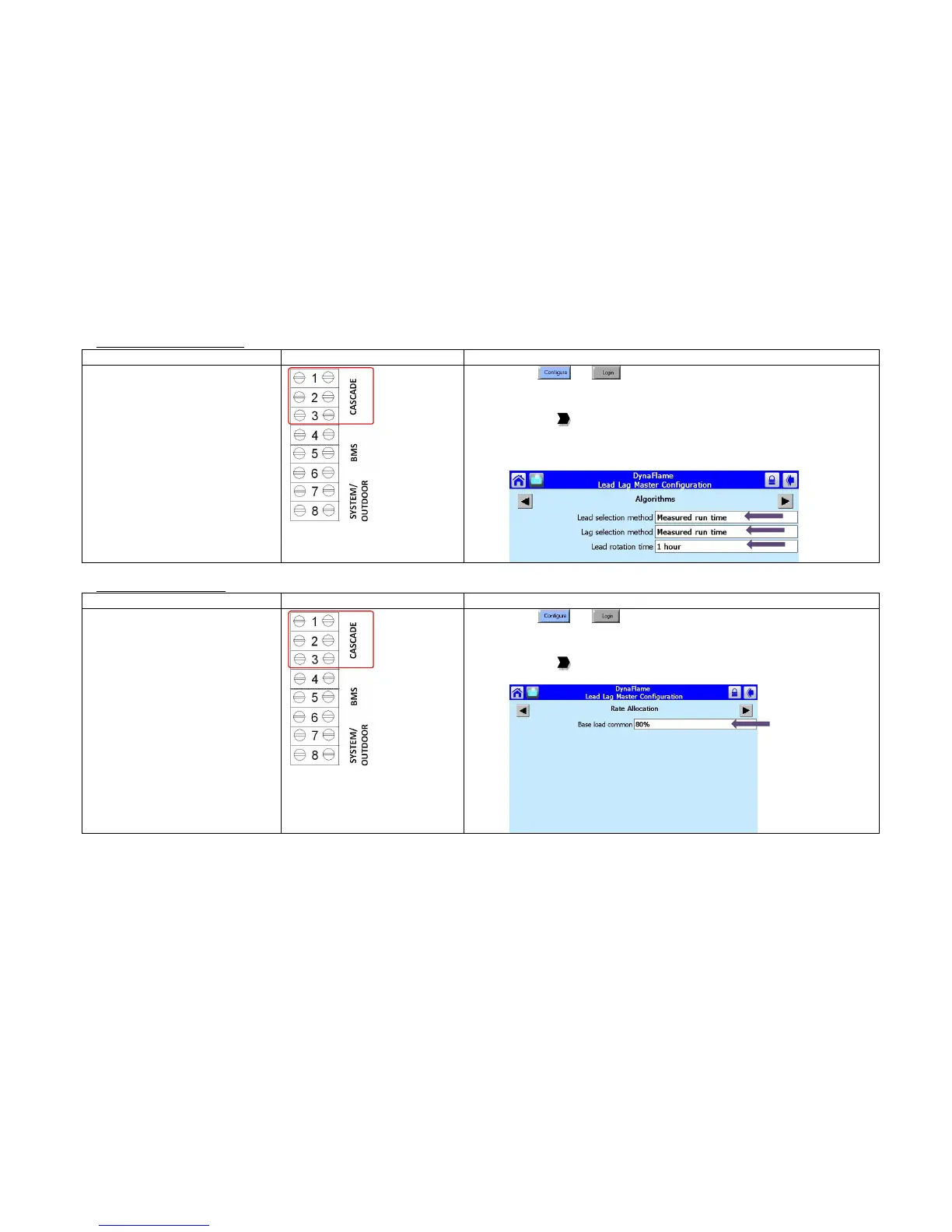
Standard rotation schedule is
based on equalizing run time
on a 1-hour schedule
• To vary the rotation to a fixed
schedule based on (hours,
days)
1) Press
and
2) Press [Lead Lag Master Configuration]
3) Press [Advanced Settings >]
4) Press the to arrive at Algorithms
5) Select Lead selection method: Sequence order
6) Select Lag selection method: Sequence order
7) Select Lead rotation time: (user defined)
Upon a call for heat the lead
boiler will fire up to the
specified base load rate
(80%). If the temperature is
not within Error threshold
(5
o
F) of setpoint after
Interstage delay (2 minutes) a
lag boiler will be brought
online and will also fire up to
the base load rate specified.
• Modulation of boilers will
only occur after all boilers in
the Lead Lag system are firing
up to the specified base load
rate (80%).
1) Press
and
2) Press [Lead Lag Master Configuration]
3) Press [Advanced Settings >]
4) Press the to arrive at Rate Allocation
5) Select Base load common: (user defined)





 To Next Page