EasyManua.ls Logo

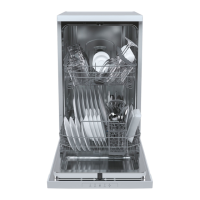
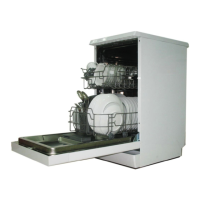
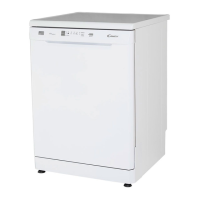
Candy CDPH 2L1049W - User Manual

Candy CDPH 2L1049W
44 pages
Print Icon
To Next Page IconTo Next Page
Loading...
User Manual
Dishwasher

Questions and Answers

  • J
    Jessica KnoxAug 17, 2025
    What to do if my Candy Dishwasher shows ALARMCODE A10 and does not fill with water?
    • B
      Bradley MorrisAug 17, 2025
      If your Candy Dishwasher displays ALARMCODE A10 and isn't filling with water, start by opening the water tap completely. Ensure the water inlet hose isn't kinked or bent. If you have an aqua-stop system and the marker is red, the hose needs replacement. Clean the filter in the water inlet hose at both the tap and the appliance. Check that the water inlet isn't clogged and verify adequate water flow. If water pressure is too low, contact your local water authority. After solving the problem, switch off the appliance and restart the program.
  • E
    emontgomeryAug 19, 2025
    What to do if my Candy Dishwasher shows ALARMCODE A20?
    • M
      Mrs. Lynn WilliamsAug 19, 2025
      If your Candy Dishwasher displays ALARMCODE A20, it means the appliance does not drain. Scoop out as much water as possible. Clean the filters. Ensure the drain water connection and piping are correctly connected and not blocked. After performing these checks, continue the program by pressing the START/PAUSE button.
  • L
    Lisa MartinAug 22, 2025
    What to do if my Candy Dishwasher shows ALARMCODE F30?
    • B
      Brandon CruzAug 22, 2025
      If your Candy Dishwasher displays ALARMCODE F30 and the drain pump runs constantly, there may be a leak in the appliance. Close the water tap. Disconnect the appliance from the power supply. Contact service to resolve the drainage blockage.
  • E
    Emily JohnsonAug 26, 2025
    Why are there whitish streaks on glasses and dishes from my Candy CDPH 2L1049W Dishwasher?
    • S
      Shawn DoughertyAug 26, 2025
      If you see whitish streaks, stains, or bluish layers on your glasses and dishes after using your Candy Dishwasher, it could be due to too much rinse aid or detergent. Try decreasing the amount of rinse aid dispensed. Ensure you are using the correct amount of detergent. If you're using multi-tab detergent tablets with a short program, switch to a longer program to allow them to fully dissolve.
  • A
    Amanda LynchAug 28, 2025
    How to turn off the Rinse Aid Indicator on my Candy CDPH 2L1049W?
    • S
      Sandra Evans DVMAug 28, 2025
      If the Rinse Aid Indicator is lit on your Candy Dishwasher, it means the rinse aid dispenser is empty. Refill it until full. After each refill, press the button for 3 seconds to confirm.
  • C
    charlesvazquezAug 31, 2025
    How to turn off the Salt Aid Indicator on my Candy Dishwasher?
    • G
      Gary KingAug 31, 2025
      If the Salt Aid Indicator is lit on your Candy Dishwasher, it means the softener salt is empty. Fill the tank with specific salt until it is full. After refilling, press the button for 3 seconds to confirm.
  • P
    Patricia RussellSep 2, 2025
    Why are the dishes not clean in my Candy Dishwasher?
    • L
      Lauren JonesSep 2, 2025
      If the dishes in your Candy Dishwasher aren't clean, several factors could be at play. Start by cleaning the filters and ensuring they are correctly assembled. Check the spray arms for clogs and clear any obstructions. Ensure you're using a program suitable for the load and food remnants. Correctly position items in the baskets so water can reach all surfaces, and ensure the spray arms can rotate freely. Use the correct amount of detergent. Avoid interrupting the wash cycle.
  • K
    kaitlin65Sep 5, 2025
    Why does my Candy CDPH 2L1049W Dishwasher programme not start?
    • A
      Alexandra MoranSep 5, 2025
      If your Candy Dishwasher doesn't start, make sure the appliance door is fully closed. Check if the delay start function is set and refer to the displayed time. Ensure the mains plug is correctly connected to the socket. Also, verify that the fuse in your house circuit is not damaged and replace it if necessary.
  • R
    Robert HoSep 8, 2025
    Why are there dry water drop stains on glasses from my Candy CDPH 2L1049W?
    • N
      Nichole NguyenSep 8, 2025
      If your Candy Dishwasher leaves dry water drop stains on glasses and dishes, the rinse aid dosage might be too low. Increase the released quantity of rinse aid. Also, the quality of the rinse aid might be the issue. If the cleaning product is too old, change the product.
  • S
    srubioSep 12, 2025
    Why are the dishes wet after using my Candy CDPH 2L1049W?
    • L
      leehannahSep 12, 2025
      If the dishes are wet after a cycle in your Candy Dishwasher, it could be because the program didn't include a drying phase or had a low-temperature drying phase. To help with drying, slightly open the door (about 100 mm) and leave it ajar.

Summary

Safety and warnings

Electrical shock hazard

Warns about electrical shock risk and proper grounding.

Cut Hazard

Advises caution with sharp edges to prevent cuts.

General Precautions

Lists essential safety rules for using the dishwasher.

Maintenance safety instructions

Instructions for safe cleaning and maintenance procedures.

Operational safety instructions

Guidelines for safe operation during use and child safety.

Installation instructions

Parts supplied

Lists and illustrates components included with the dishwasher.

Prior to installation

Covers unpacking, handling, and initial checks before installation.

Connections and services

Details requirements for water, drainage, and electrical connections.

Product dimensions

Provides detailed measurements for the dishwasher and installation cavity.

Cavity preparation

Instructions on preparing the cabinet space for the dishwasher.

Plumbing and drainage options

Explains different methods for connecting water supply and drainage.

Connect inlet hose to cold water

Steps for connecting the water inlet hose to the cold water supply.

Plug product in

Guidance on connecting the dishwasher to the electrical supply.

Final checklist

A checklist for the installer to ensure proper installation.

Product Description

Product components

Identifies and labels the main parts of the dishwasher.

Overview of programmes

Programmes

Details the different wash programs, their parameters, and suitability.

Water softening system

Adjusting the water softening system

How to set the water softener level based on water hardness.

Using special salt

Instructions for refilling the salt reservoir.

Using rinse aid

When to refill the rinse aid dispenser

Indicators for refilling the rinse aid.

Adjusting the rinse aid dosage

How to set the rinse aid dosage for optimal drying.

How to refill the rinse aid dispenser

Step-by-step guide to adding rinse aid.

Utensils

Cutlery and silverware

Guidance on washing cutlery and silverware.

Aluminium

Notes on washing aluminium items.

Other metals

Advice for washing items made of iron, copper, pewter, and brass.

Woodware

Precautions for washing wooden items.

Glassware

Information on washing different types of glassware.

Plastic

Guidance on washing plastic items.

Decorated items

Tips for washing decorated china and similar items.

Glued items

Advice for items with glued components.

Loading utensils

Upper rack

Instructions for loading items into the upper rack.

Lower rack

Guidance on loading the lower rack with larger items.

Cutlery basket

Advice on how to load the cutlery basket effectively.

Adding detergent

Filling the detergent dispenser

Step-by-step guide to adding detergent.

Before first Use

How to Adjust User Preference Settings for LED Models

Guide to customizing settings for LED models.

How to Adjust User Preference Settings for DIGIT Models

Guide to customizing settings for Digit models.

Daily Use

Start a Programme

How to start a wash program on the dishwasher.

Pause and restart a wash programme

Instructions for pausing and resuming a wash cycle.

Cancel or change a wash programme

How to cancel or switch programs during operation.

Start a Programme with Delay

Setting a delayed start time for a wash program.

Cancel a Delayed Start

How to cancel a pre-set delayed start.

End of Programme

What happens at the end of a wash cycle and how to unload.

Care and cleaning

Cleaning the dishwasher exterior

How to clean the outer surfaces of the dishwasher.

Cleaning the door seal and dishwasher interior

Instructions for cleaning the interior and seals.

Cleaning the filters

How to clean the dishwasher filters to maintain performance.

Cleaning the spray arms

Guide to cleaning the spray arms for optimal water distribution.

Cleaning the centre spray arm

Specific instructions for cleaning the centre spray arm.

Cleaning the lower spray arm

Specific instructions for cleaning the lower spray arm.

Troubleshooting

Appliance Start;Operation Issues

Solutions for issues like non-start, stops, and indicator lights.

Error Codes

Explains error codes displayed and provides solutions.

Unsatisfactory Washing Results

Troubleshooting common problems with dish cleaning.

Drying Performance Issues

Solutions for issues like water spots and wet dishes.

Technical Data

Product fiche (according EU 1059;2010)

Technical specifications and energy ratings for various models.

Candy CDPH 2L1049W Specifications

General IconGeneral
Door colorWhite
Door hingeStandard
Control typeButtons
Product sizeSlimline (45 cm)
Lower basket rackFoldable
Custom panel-ready-
Appliance placementFreestanding
Lower basket rack typeDouble
Lower basket safety stopNo
Upper basket adjustable heightYes
Cycle time298 min
Noise level49 dB
Drying systemCondensation
Delay start (max)9 h
Dishwashing programsEco 50°C, Intensive, Pre-wash, Quick
Number of place settings10 place settings
Number of washing programs5
Maximum hot water supply temperature60 °C
Current10 A
Power plug typeType F (CEE 7/4)
AC input voltage230 V
Energy efficiency scaleA to G
Water consumption per cycle9 L
Energy consumption per cycle0.74 kWh
Package depth620 mm
Package width485 mm
Package height885 mm
Package weight42350 g
Weight and Dimensions IconWeight and Dimensions
Depth580 mm
Width450 mm
Height850 mm
Weight38410 g
Height under worktop820 mm

Related product manuals