COPYRIGHT
©
2002 CANON INC. CANON CLC1100/1130/1150/1160/1180 REV.1 FEB. 2002 PRINTED IN JAPAN (IMPRIME AU JAPON)
13-321
CHAPTER 13 TROUBLESHOOTING
G. PG (test print)
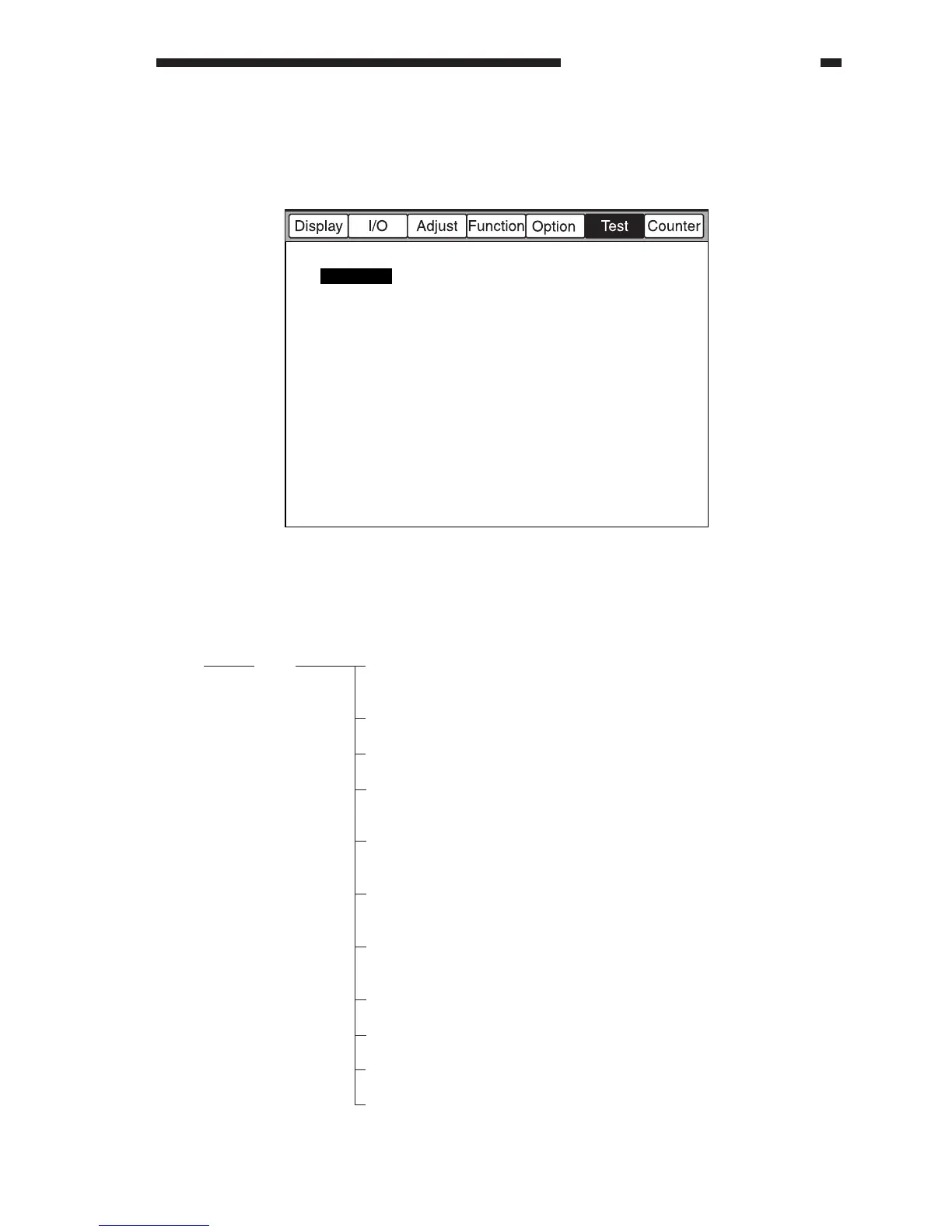
The COPIER>TEST screen looks like the following, and it offers the items discussed on the
pages that follow:
Figure 13-719
COPIER>TEST Items
Level 1
TEST
Level 2
PG
Level 3
TYPE
TXPH
THRU
DENS-Y
DENS-M
DENS-C
DENS-K
COLOR-Y
COLOR-M
COLOR-C
COLOR-K
Description
use it to enter the type number of a test print, and
press the Start key to start printing (00: normal
copying)
use it to switch the number of lines for test printing
(0: 200 lines, 1: 400 lines, 2: 800 lines)
use it to switch LUT for test printing (0: LUT
present, 1: LUT absent)
use it to adjust the Y density for TYPE=05 during
test printing (0 to 255; a higher setting darkens the
image)
use it to adjust the M density for TYPE=05 during
test printing (0 to 255; a higher setting darkens the
image)
use it to adjust the C density for TYPE=05 during
test printing (0 to 255; a higher setting darkens the
image)
use it to adjust the Bk density for TYPE=05 during
test printing (0 to 255; a higher setting darkens the
image)
use it to set the Y output for each TYPE (0: no
output, 1: output)
use it to set the M output for each TYPE (0: no
output, 1: output)
use it to set the C output for each TYPE (0: no
output, 1: output)
use it to set the Bk output for each TYPE (0: no
output, 1: output)
PG



 To Next Page