03
0301
04
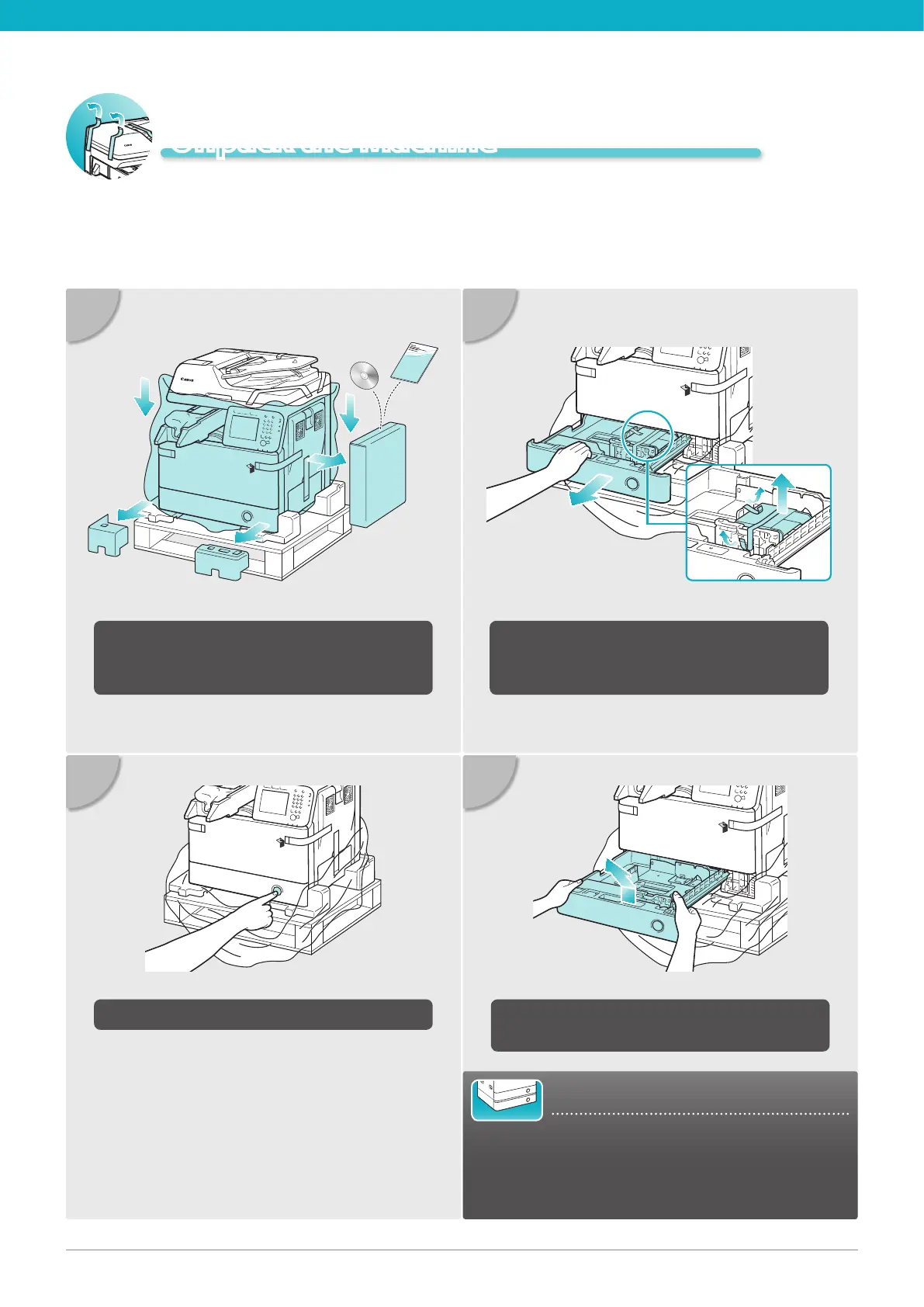
Pull out the paper drawer as far as it will go
and then remove the tape and the packing
material inside.
Lift the paper drawer and pull it out
completely.
02
Press the button on the paper drawer.
Remove the materials shown in blue and set
aside the machine’s accessories box on the
right side for later use.
Unpack the Machine
For Users with the Optional Cassette:
Go to the installation manual supplied with the
optional cassette to attach the cassette to the
machine, then continue from step 7 under “Unpack
the Machine” in this document.





 To Next Page