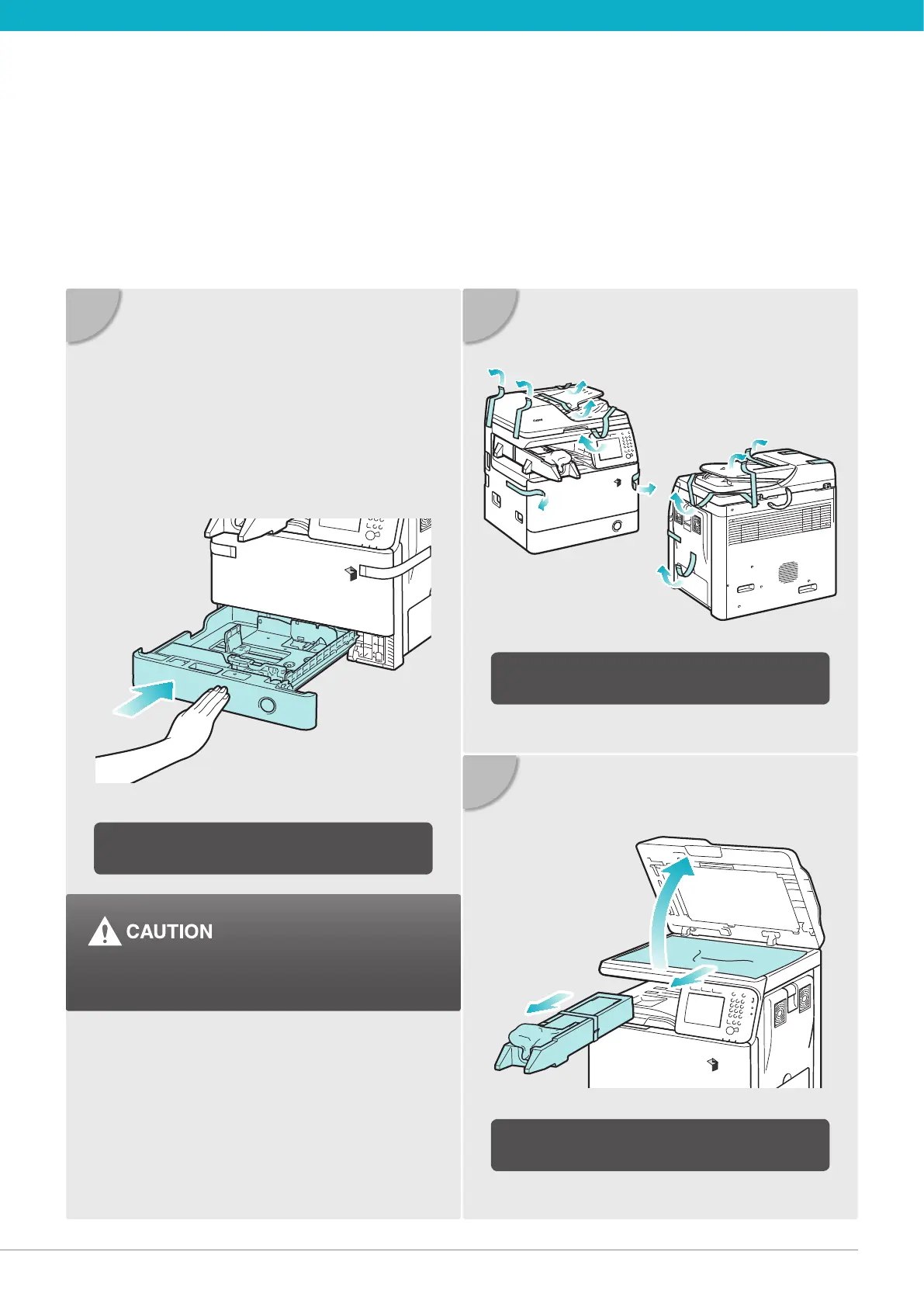
04 Unpack the Machine Unpack the Machine 05
07
08
06
Gently push the paper drawer back into the
machine until it clicks into place.
Remove all shipping tape from the ap side
edges.
Lift the feeder, remove the protective sheet,
and take out the drum unit.
Be careful not to get your ngers caught, as this
may result in personal injury.





 To Next Page