07
If you are attaching the optional Staple Finisher-H1 to the machine, the following steps are not
necessary. Go to the next section, “Install the Drum Unit.”
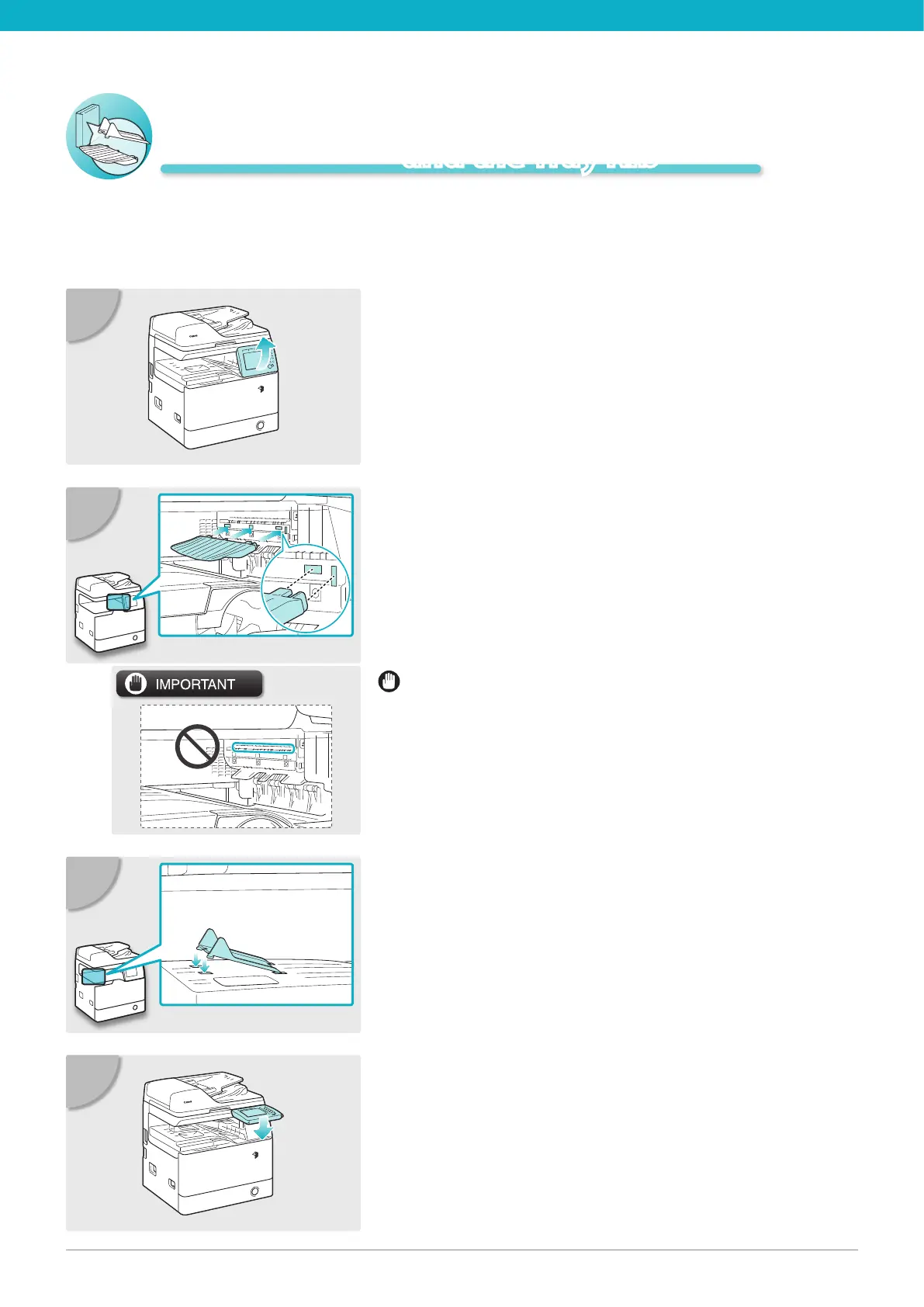
Lift the control panel.
01
Attach the duplex tray by inserting its tabs
into the slots on the machine.
02
Insert the front tabs of the tray rib into the
slots rst and then press down on its left
end so that the rear tabs snap into the slots.
03
Lower the control panel back in place.
04
Attach the Duplex Tray
and the Tray Rib
Be careful not to accidentally insert the tabs into the slot
circled in the illustration.





 To Next Page