Return to contents page
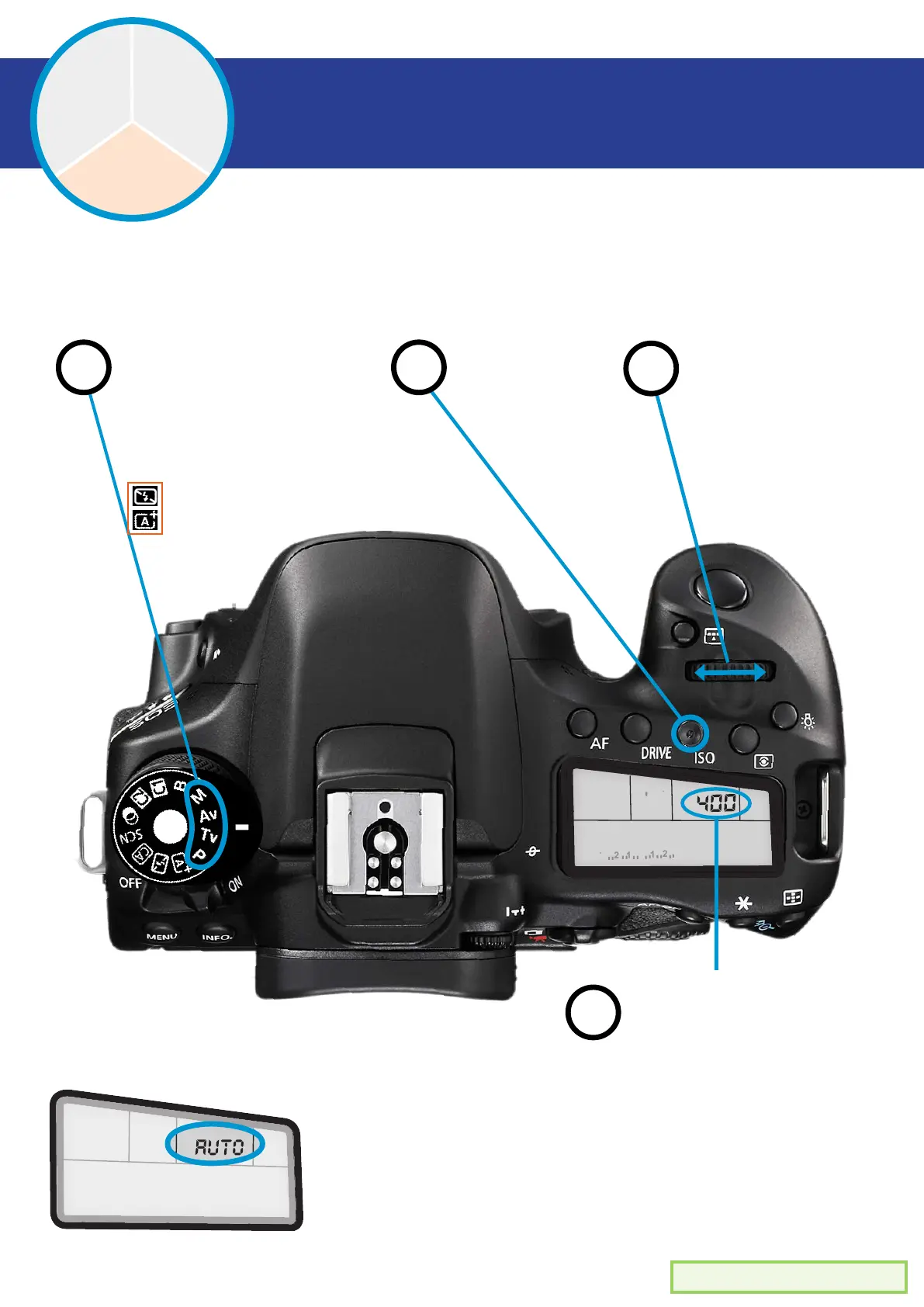
M - Manual mode
Av - Aperture priority mode
Tv - Shutter speed priority mode
P
- Program mode
How to change ISO
ISO
The ability to increase the sensitivity to light
ISO
Shutter
Speed
Aperture
AUTO
ISO
2
3
4
Set your mode Press the
‘ISO’ button
Spin the
adjuster wheel
ISO number will
appear here as it
changes
If you set the ISO setting to ‘AUTO’, then the camera
will adjust the ISO itself. Be careful when shooting in
low light as the ISO may become high automatically
and produce a lot of noise in your images.
NOTE:
1
NOTE: Auto modes don’t allow
ISO changes. ISO will be
automatic.
ISO


 To Next Page