Return to contents page
Trouble shooting
LCD only shows information
(no image)
Viewnder not working
No info details on LCD
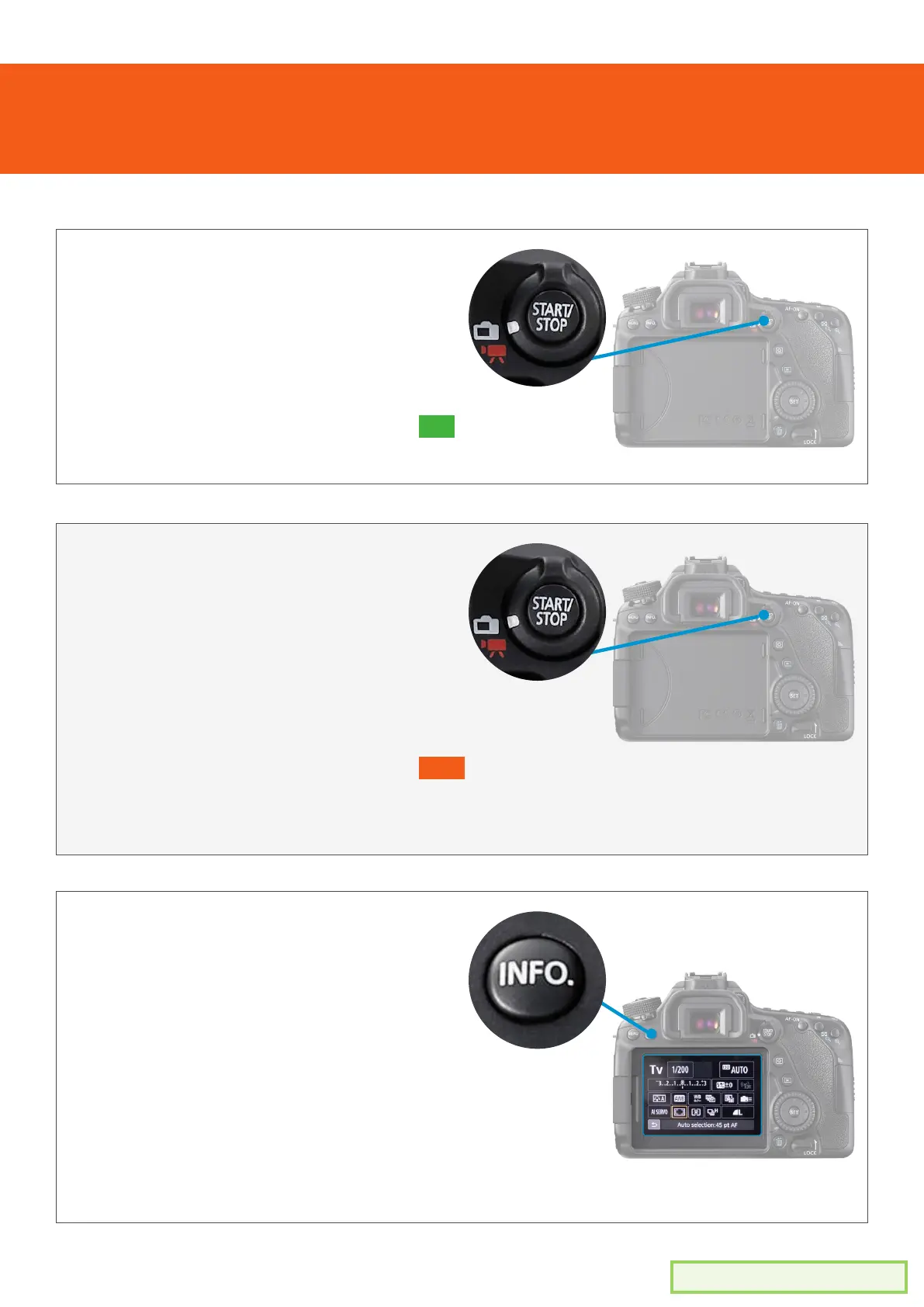
1. Make sure the function dial is clicked to
the white camera icon (not the red video
icon
2. Press the ‘start/stop’ button to turn ON
the LCD screen live viewing mode
Use the list below to help solve any issues you are having
1. If the LCD screen is on, the viewnder is
disabled
2. Make sure the function dial is clicked to
the white camera icon (not the red video
icon)
3. Press the ‘start/stop’ button to turn OFF
live viewing mode
4. The viewnder should now work.
1. With the camera on, make sure the
function dial is clicked to the white
camera icon (not the red video icon)
2. Press the ‘start/stop’ button to turn on
live viewing mode
3. Press the ‘Info’ button enough times
until the information details appear on
the LCD


 To Next Page