Return to contents page
Aperture
ISO
Shutter
Speed
Aperture
ISO
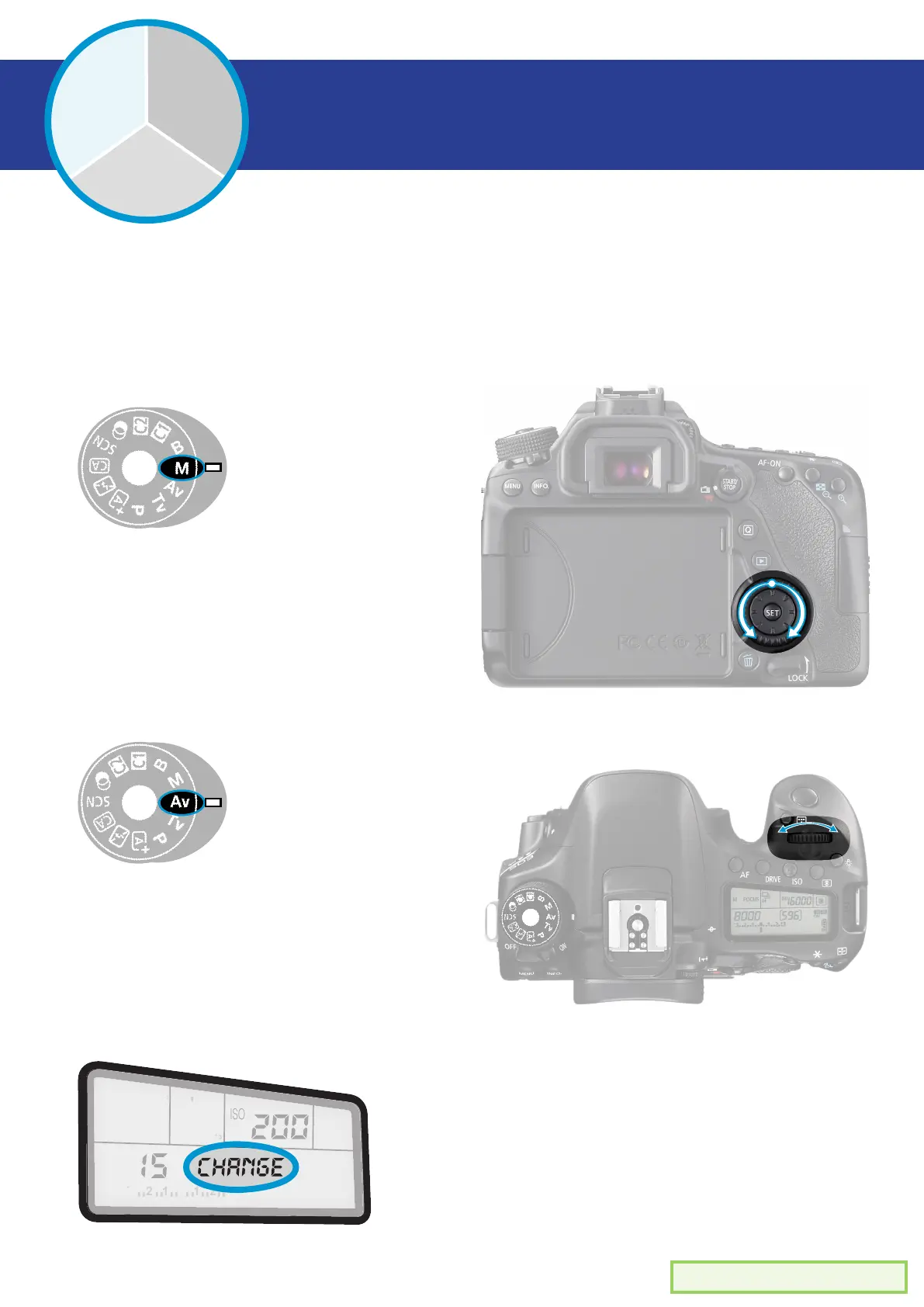
When in ‘M’ manual settings
mode, use the spinning dial on
the back of the camera.
Manual mode
Av mode
When in ‘M’ manual settings
mode, use the wheel on the
top of the camera.
In any mode, the top lcd screen will
display your aperture number in this
location.
How to change aperture -


 To Next Page