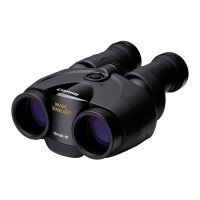
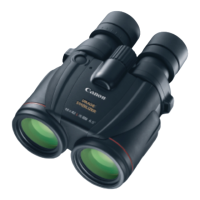
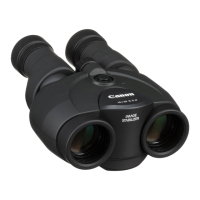
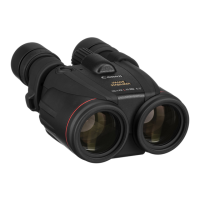
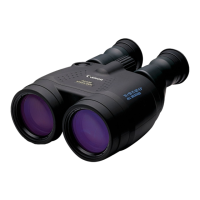
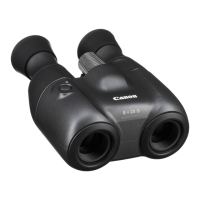
The Canon 8x20 IS and 10x20 IS binoculars are equipped with a lens-shift type Image Stabilizer, designed to provide a steady image even when the user's hands are shaking or when subjected to vibration. This feature is particularly useful for prolonged viewing or in situations where a stable image is difficult to maintain. The Image Stabilizer can be activated for a continuous five-minute period by pressing and quickly releasing the Image Stabilizer button, or it can be operated by holding the button down, in which case it will stop once the button is released. A lamp on the binoculars indicates when the Image Stabilizer is active. If the lamp does not turn on, it suggests that the batteries may need to be replaced. Even without batteries, the binoculars can still be used, though without the image stabilization function.
Before using the binoculars, it is essential to read the instruction booklet to ensure proper and safe operation. The manual emphasizes several precautions to prevent injury to the user or others, as well as damage to the device. Users are warned never to look at the sun with the binoculars, as this can cause permanent vision loss. The binoculars should also not be placed under direct sunlight, as the lenses can concentrate the sun's rays and potentially cause a fire. It is crucial to keep the binoculars and their accessories out of reach of small children, and plastic packaging bags should be kept away from children to prevent suffocation. Additionally, care should be taken to prevent the strap from accidentally wrapping around the neck, which could also lead to suffocation.
When handling batteries, specific warnings are provided to prevent overheating, smoke generation, ignition, leakage, or explosions. Users must ensure that batteries with a nominal voltage rating of 3.0V or higher, or those without nominal voltage information, are not used. Correct battery polarity is vital, and leaking batteries should never be used. If any unusual occurrences, such as smoke or odors, are detected, the batteries should be removed immediately. Disassembling, charging (unless rechargeable), leaving batteries in hot places, short-circuiting contacts, or throwing them into fire are strictly prohibited. Batteries should be stored out of reach of infants, and replacement procedures should not be observed by infants. If a battery is swallowed, immediate medical attention is required due to the risk of chemical reactions within the body.
Further precautions regarding the binoculars themselves include avoiding placement on unstable surfaces to prevent falls and potential injury. The binoculars should not be used while walking, as this could lead to collisions or falls. Swinging the binoculars by the strap is also discouraged, as it could injure surrounding people or damage objects. When adjusting the width of the binoculars, users should be mindful of potential finger pinching, especially when small children are using the device. In case of damage, the damaged portion or the inside of the product should not be touched. The binoculars should not be exposed to water or other liquids, nor should foreign objects be allowed to enter. Storage in very hot or cold places is not recommended, as extreme temperatures can cause the product to heat or cool, potentially leading to burns or other injuries upon contact. Prolonged or repeated use of the rubber eyecups may irritate the skin around the eyes; if irritation occurs, a physician should be consulted.
Regarding battery maintenance, it is advised to remove batteries when the binoculars are not in use to prevent leakage, which can cause malfunction, staining, or fire. If battery liquid leaks and contacts the skin, it should be thoroughly washed off. If eyes or mouth are exposed to the liquid, they should be rinsed immediately with clean, cold water, and medical attention should be sought. When removing or disposing of batteries, the contacts should be insulated with tape to prevent contact with other metals, which could cause fire or rupturing.
The manual also provides detailed handling precautions to ensure the longevity and proper functioning of the binoculars. Users should obey any instructions prohibiting the use of the product in certain places. As precision instruments, the binoculars should not be subjected to force, drops, severe shock, or vibration. Disassembly or alteration is also prohibited. Storing the binoculars in a car or similar location under direct sunlight can lead to excessive temperatures and damage. Humid, smoky, or dusty environments should be avoided, as humidity can cause fungus to form on lenses or make them cloudy. For extended storage, the lenses and body should be thoroughly cleaned and stored in a well-ventilated, dry place.
The binoculars are not waterproof, so exposure to rain or water spray should be avoided. If they come into contact with water, they should be dried with a clean, dry cloth. If dirt, dust, or salt adheres, they should be wiped with a clean, well-wrung wet cloth. If water or other contaminants get into the binoculars, or if there is suspicion of ingress, they should be taken to a service center promptly. Organic solvents such as alcohol, thinner, or benzene should not be used for cleaning the lenses or body. For dirty lenses, a blower brush should first be used to remove dust, followed by a soft, dry cloth to gently wipe the lens without scratching.
Condensation can occur when moving the binoculars from a cold to a warm environment due to sudden temperature changes. To prevent this, the binoculars should be placed in an airtight plastic bag before transitioning to a warmer environment, allowing them to gradually adjust to the new temperature before removal. The same procedure applies when moving from a warm to a cold environment.
Before initial use, several adjustments are necessary. The eyecup position can be adjusted by turning the eyecups for comfortable viewing, especially for those wearing eyeglasses. The width of the binoculars should be adjusted to match the user's interpupillary distance, ensuring that the left and right images converge for optimal performance and to minimize eye fatigue. This adjustment is best done while looking at a distant object. The diopter needs to be adjusted to compensate for differences in visual acuity between the left and right eyes. First, the user should look through the left eyepiece only and adjust the focusing knob until the object appears sharp. Then, looking through the right eyepiece at the same object, the dioptric correction ring should be turned until the object appears sharp. Finally, the focus is adjusted by looking at a different object with both eyes and turning the focusing knob until the object is sharp.
When loading batteries, the battery chamber cover is opened, and the surface fasteners are released. The CR123A lithium battery is then inserted with the correct [+] [-] orientation, ensuring the [-] pole is against the spring electrode. The surface fasteners are then wrapped around the battery to secure it firmly, and the battery chamber cover is closed. After loading, the Image Stabilizer button should be pressed and held for more than one second to check if the lamp lights up, indicating proper battery installation. It is important to ensure that the [+] pole electrode is not inserted first, as this can damage the spring electrode. The surface fasteners should be checked for looseness or damage, and moisture should be kept out of the battery chamber. The Image Stabilizer should be stopped before removing batteries.
For storage, the binoculars should be placed in their case, allowing the strap to extend outside, and then the case flap should be closed. Before placing the binoculars in the case, it is important to check that the Image Stabilizer lamp is off. Regular checks of the strap's condition are also recommended to ensure it is securely installed and free from wear or damage.
Troubleshooting guidance is provided for common issues. If the image is not clear, the lens might be dirty, requiring cleaning with a blower brush and a soft, dry cloth. Incorrect diopter or binocular width settings can also cause unclear images, which can be resolved by adjusting them according to the instructions. If the binoculars are not properly focused, the focusing knob needs adjustment. If the Image Stabilizer does not operate, it could be due to exhausted or improperly loaded batteries, which can be fixed by loading new, adequately powered batteries. If the Image Stabilizer button is pressed and the lamp does not light, it indicates exhausted batteries that need to be replaced.


 To Next Page
 General