EasyManua.ls Logo

Canon CR-2 - User Manual

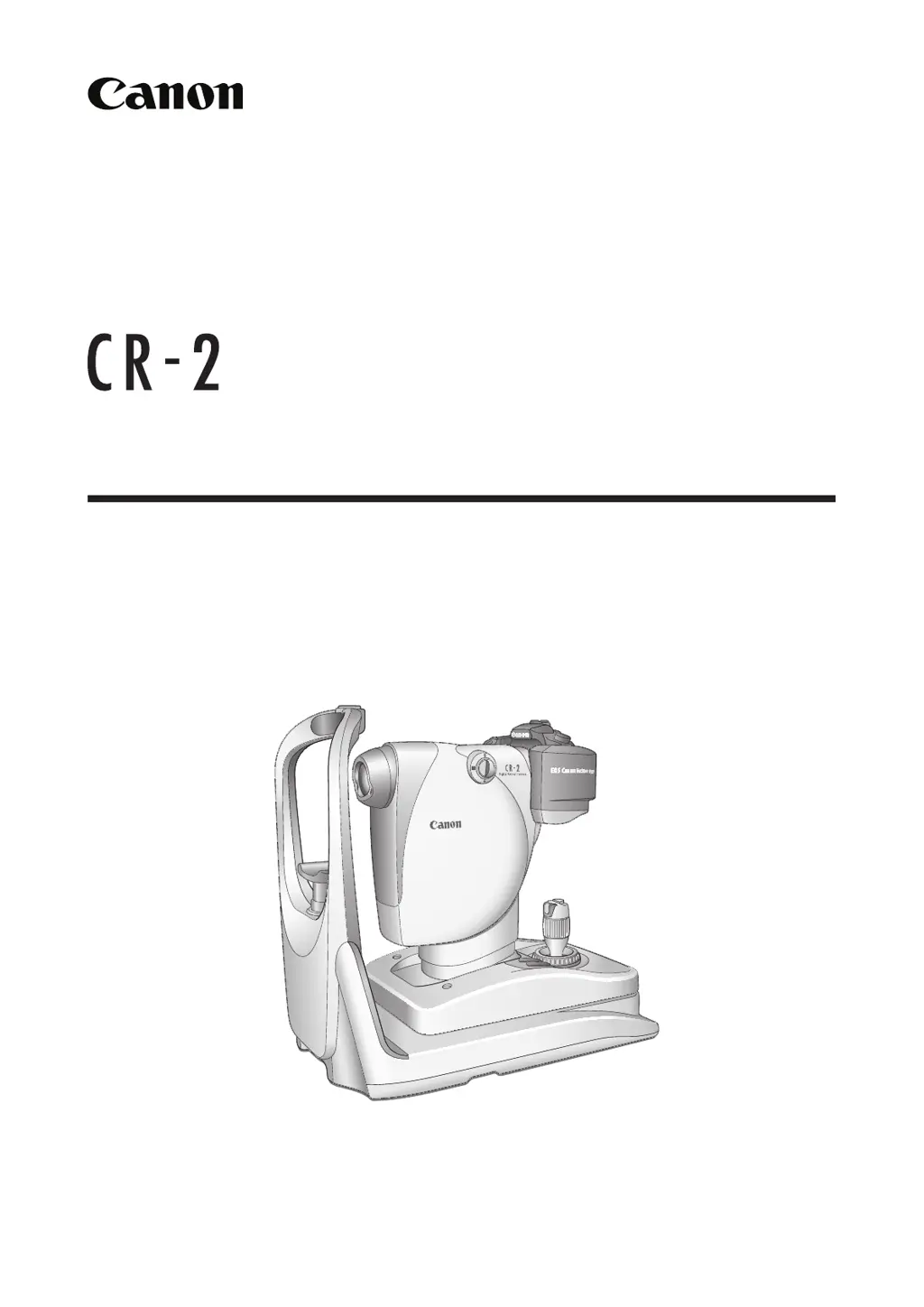
Canon CR-2
48 pages
Print Icon
To Next Page IconTo Next Page
Loading...
Digital Retinal Camera
Operation Manual
Make sure you read this manual before using the instrument.
Keep this manual safely so that you can use it in the future.

Questions and Answers

  • D
    Daniel LewisAug 15, 2025
    Why do black spots appear in Canon CR-2 Digital Camera images?
    • U
      uvegaAug 15, 2025
      If black spots or artifacts consistently appear in the same location in every image captured with your Canon Digital Camera, it's likely due to dirt or dust. Try the following: * Clean the objective lens. * Clean the imaging sensor of the digital camera using the self-cleaning sensor unit.
  • V
    vsmithAug 18, 2025
    What to do if split lines are not visible on Canon Digital Camera?
    • S
      Steven HoweAug 18, 2025
      If the split lines are not visible when using the Canon Digital Camera, consider the following: * Dilate the patient’s pupil, and if it remains small, enable the small pupil photography function. * Ensure that eyebrows or eyelashes are not obstructing the pupil by instructing the patient to open their eye wider. * Set the diopter compensation knob to the 0 position.
  • J
    Jessica HernandezAug 21, 2025
    Why does the power lamp not light on Canon CR-2?
    • H
      houstonellenAug 21, 2025
      If the power lamp on your Canon Digital Camera doesn't illuminate when you turn it on: * Ensure the power cord is securely connected. If it's disconnected, turn off the power and reconnect it. * If the power cord is cut, contact your Canon representative or distributor.
  • L
    Lauren WilliamsAug 25, 2025
    Why are white spots visible on Canon CR-2 images?
    • H
      hmillerAug 25, 2025
      If white spots are visible on images captured with your Canon Digital Camera: * Clean the objective lens. * Instruct the patient to open their eye wider to prevent eyelashes from interfering with the image, and then capture another image.
  • T
    tmatthewsAug 27, 2025
    What to do if error appears on Canon Digital Camera?
    • B
      bsmithAug 27, 2025
      If an error (Err xx) appears on the observation monitor of your Canon Digital Camera, a malfunction has been detected. Turn off the power to the retinal camera and then turn it on again.
  • A
    Angela PowersAug 30, 2025
    What does it mean when Canon Digital Camera beeps?
    • D
      Daniel FullerAug 30, 2025
      When a buzzer sounds (pi-pi-pi) and the operation panel lamps blink when the power is turned on, a system error has occurred. Contact the Canon representative or distributor from whom you purchased the CR-2.
  • S
    Stephanie McculloughSep 2, 2025
    How to align split lines on Canon Digital Camera?
    • D
      David MillerSep 2, 2025
      To correct split lines that do not align on the Canon Digital Camera, if the patient's eye is outside the range of –10 to +15 D, use the diopter compensation function, turn the focus ring, and focus on the position where the images of the retina look clear at the same time.
  • R
    Robert WilliamsSep 5, 2025
    How to fix working distance dots that are hard to see on Canon Digital Camera?
    • R
      Russell YoungSep 5, 2025
      If the working distance dots are hard to see on your Canon Digital Camera, reduce the observation light brightness.
  • C
    Carrie OrtizSep 8, 2025
    What to do if observation monitor does not turn on for Canon Digital Camera?
    • O
      obarnesSep 8, 2025
      If the observation monitor does not turn on for your Canon Digital Camera, turn on the digital camera.
  • L
    lawrencejonathanSep 12, 2025
    How to make working distance dots visible on Canon CR-2 Digital Camera?
    • W
      William BoltonSep 12, 2025
      If the working distance dots are not visible on your Canon Digital Camera, ensure that the retinal camera and the eye are correctly aligned.

Summary

1 Introduction

Features

Describes the key characteristics and capabilities of the Canon Digital Retinal Camera CR-2.

Indications for Use

Specifies the intended medical applications and regions for the CR-2 device.

Components

Lists and describes the various parts and accessories included with the CR-2.

Conventions Used in This Manual

Explains the symbols and conventions used throughout the manual for safety and clarity.

2 Safety

Regulatory Information

Lists classifications, directives, and standards applicable to the CR-2.

Safety Precautions

Provides essential safety guidelines to prevent injuries and data loss during operation.

Notes on Using CR-2

Offers important advice and considerations for the proper use of the CR-2.

Rating Label Display

Details the marks and information found on the CR-2's rating label for proper usage.

3 Names of Parts

Retinal Camera

Identifies and labels the various physical components of the retinal camera unit.

Operation Panel

Explains the functions of buttons and indicators on the CR-2's control panel.

Observation Monitor

Describes the display elements and indicators during anterior and retinal observation.

4 Basic Operations

Flow of Operation

Outlines the sequential steps required for performing a retinal photography examination.

Connecting Cables

Provides instructions on how to properly connect the CR-2 to a computer and power source.

Preparing for an Examination

Details the initial setup steps before commencing a patient examination with the CR-2.

Setup for Patient

Guides on positioning the patient comfortably and correctly for the examination.

Alignment

Explains how to align the retinal camera with the patient's eye for accurate imaging.

Photography

Covers the process of taking photographs, including preliminary checks and image capture.

Finishing an Examination

Details the steps for saving images and concluding a patient examination.

5 Photography Auxiliary Functions

x2 Photography

Explains how to use the magnification function for enhanced imaging.

Small Pupil Photography Function

Describes how to photograph patients with smaller pupils.

Diopter Compensation

Details how to adjust for the patient's refractive error to achieve clear focus.

Anterior Eye Photography

Guides on capturing images of the anterior segment of the eye.

External Monitor

Instructions on connecting and using an external monitor with the CR-2.

6 Maintenance

Maintenance and Inspection

Outlines routine checks and inspections to ensure the CR-2's proper functioning.

Cleaning the Objective Lens

Provides step-by-step instructions for cleaning the CR-2's objective lens.

Cleaning the Image Sensor

Explains the process for cleaning the digital camera's image sensor.

Cleaning the Outside of the CR-2

Details how to clean the exterior surfaces of the CR-2 unit.

Disinfecting the Forehead Rest

Instructions for disinfecting the forehead rest for patient hygiene.

Refilling Chin Rest Paper

Steps for replacing the disposable paper on the chin rest.

Removing the digital camera

Step-by-step guide on how to detach the digital camera from the CR-2.

Installing the digital camera

Step-by-step guide on how to attach the digital camera to the CR-2.

7 Troubleshooting

Troubleshooting Guide

Lists common symptoms, their causes, and recommended solutions for the CR-2.

8 Appendix

Specifications

Details the technical specifications of the Canon Digital Retinal Camera CR-2.

EMC (Electromagnetic Compatibility)

Information regarding the electromagnetic compatibility of the CR-2 device.

Guidance and Manufacturers Declaration for Electromagnetic Immunity

Provides guidance on electromagnetic immunity and manufacturer declarations.

Recommended Separation Distances between Portable and Mobile RF Communications Equipment and Devices or the CR-2

Specifies safe distances for RF equipment to prevent interference with the CR-2.

Warranty and Repair Service

Outlines the product's warranty period and procedures for requesting repairs.

Canon CR-2 Specifications

General IconGeneral
Sensor TypeCMOS
Sensor SizeAPS-C
ISO RangeISO 100-3200
DisplayLCD
ConnectivityUSB 2.0
BatteryDedicated battery pack

Related product manuals