EasyManua.ls Logo

Canon CR-N300 - User Manual

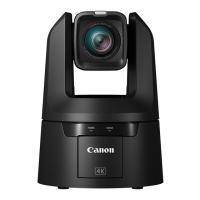
Canon CR-N300
119 pages
Print Icon
To Next Page IconTo Next Page
Loading...
This document should be read before using the product.
ENGLISH
Remote Camera
Settings Guide

Table of Contents

Other manuals for Canon CR-N300

Questions and Answers

  • A
    Amy Harris PhDAug 20, 2025
    How to reset administrator password on Canon CR-N300?
    • J
      Julie WallAug 20, 2025
      To reset the administrator password, you can initialize all camera settings (excluding date and time) using the RESET switch. After initialization, use the Camera Search Tool to register the administrator account again. Please note that the IP address and subnet mask will also need to be reset.
  • N
    Nicholas WilliamsAug 21, 2025
    How to fix Canon CR-N300 unable to connect to wireless LAN?
    • J
      John WalkerAug 22, 2025
      • Ensure you haven't exceeded the maximum number of devices that can connect via wireless LAN; disconnect unused devices. • Check for signal issues or interference from nearby electronic equipment. • Try resetting the camera and starting from the initial settings again.
  • E
    Ethan TaylorAug 25, 2025
    What to do if the Settings Page is not displayed for my Canon CR-N300?
    • G
      Gary Jones DDSAug 25, 2025
      First, check if the LAN cable is correctly connected and that the network settings (IP address, subnet mask, and default gateway) are correct for your network. If you changed the IP address, reboot the camera. Verify the URI in your web browser. Also, check the Host Access Restrictions in [System] > [Security] and confirm your computer isn't blocked. Ensure the authentication method and user credentials match the network rules, and configure your security software to exclude the camera. Finally, verify the SERVICE switch is not set as a USB camera; switch it and restart the camera if needed.
  • C
    Charles NewtonAug 26, 2025
    What to do if Canon Digital Camera does not launch?
    • T
      tony40Aug 26, 2025
      • If using a PoE+ hub, ensure the LAN cable is correctly connected. • If using a Compact Power Adapter, ensure it's correctly connected. • Try turning the camera off and restarting it. • If using a PoE+ supported hub, check its instructions for use, as some limit the power per port or total power consumed, which may prevent the camera from starting if exceeded.
  • A
    andrea28Aug 28, 2025
    Why is there no audio from my Canon CR-N300?
    • E
      etorresAug 28, 2025
      Ensure that the [Audio Input Mode] setting in [System] > [Video and Audio] > [Audio] > [General Audio] is correctly set for the connected microphone. If using an external microphone that requires phantom power, set [Audio Input Mode] to [INPUT Terminal/MIC+48V]. Note that when used as a USB camera, audio cannot be inputted from the camera; input the audio directly to the computer.
  • L
    Linda ChapmanAug 30, 2025
    What to do if there is no video or audio on the external monitor during HDMI/SDI output from Canon Digital Camera?
    • R
      Ronald SheltonAug 30, 2025
      Check that the camera is properly connected to the external monitor by verifying the cable connections. Reseat the cable, or turn the camera off and restart it. Also, ensure the external monitor is set according to the output signal of the camera.
  • K
    Keith HughesAug 31, 2025
    Why Canon Digital Camera cannot be operated from the IR remote controller?
    • N
      njohnsonSep 1, 2025
      • Ensure the RS-422 connection is working correctly by checking the connection to the RS-422 terminal and the wiring of the RS-422 cable. • Verify that the remote controller settings match the serial connection settings on the Settings Page. Check [Serial Device Address] in [System] > [Communication] > [External Connection (Serial)] and set the camera number to match the remote controller. Also, ensure the Baud Rate (9600 bps or 38400 bps) is set the same on both.
  • S
    Sara ThompsonSep 3, 2025
    Why is the STATUS lamp blinking on my Canon Digital Camera?
    • M
      Michael ThomasSep 3, 2025
      The firmware may be updating, which can take some time. Alternatively, the pan/tilt position may be shifted; execute [Pan/Tilt Initialization] in [System] > [Maintenance] > [General] > [Tool] or press the P/T INIT button on the IR remote. If the POWER lamp is also blinking, restart the camera. If the issue persists, contact your sales representative.
  • L
    Lisa ChavezSep 5, 2025
    How to enable IR remote controller on Canon CR-N300?
    • S
      Shawn MooreSep 5, 2025
      Go to [System] > [System] > [Camera] and select [Enable] for [IR Remote Controller]. Also, check the IR remote controller's CAMERA SELECT number and the setting of the SERVICE switch on the rear of the camera.
  • M
    Mr. Calvin Gardner DDSSep 6, 2025
    Why is there no audio during IP distribution from Canon Digital Camera?
    • J
      Jose McdonaldSep 6, 2025
      If there is no audio, check the settings in [System] > [Video and Audio] > [Audio] as well as the sound and audio device settings for the computer. Note that audio cannot be heard on the Settings Page.

Summary

Chapter 1 Before Use

Initial Camera Settings and Setup

Guides through initial camera connection, network setup, and administrator account creation.

Chapter 2 Camera Setup

Chapter 4 Appendix

Troubleshooting and Log Messages

Guides on resolving problems, interpreting log messages, and error codes.

Security Measures

Basic Security Measures

Fundamental steps for securing the camera, including passwords and firmware updates.

User and Access Control

Managing user accounts, privileges, and host access restrictions.

Secure Network Communication

Implementing secure communication via HTTPS, changing ports, and encrypting data.

Function and Data Security

Disabling unused functions and securing backup information for enhanced safety.

Canon CR-N300 Specifications

General IconGeneral
Pan Range±170°
Tilt Range-30° to +90°
Digital Zoom20x
IP ControlYes
Image Sensor1/2.3" CMOS
Effective PixelsApprox. 8.29 megapixels
Lens20x optical zoom lens
Video OutputHDMI
ConnectivityEthernet, HDMI, USB, Wi-Fi
Power SupplyDC 12V
ND FilterYes
Video Resolution4K UHD
Video CodecH.264/H.265

Related product manuals