EasyManua.ls Logo

Canon CR-X300 - User Manual

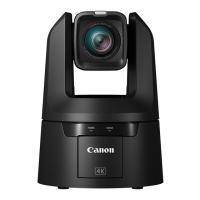
Canon CR-X300
114 pages
Print Icon
To Next Page IconTo Next Page
Loading...
This document should be read before using the product.
ENGLISH
Remote Camera
User Manual

Table of Contents

Questions and Answers

  • J
    Joshua WilliamsAug 19, 2025
    How to reset administrator password on Canon CR-X300?
    • W
      William RuizAug 19, 2025
      If you forgot the administrator password for your Canon Digital Camera, you can initialize all camera settings (except date and time) using the RESET switch. After initialization, use the Camera Search Tool to register the administrator account again. Note that you will also need to reset the IP address and subnet mask, as network settings will be initialized.
  • L
    Laura JonesAug 21, 2025
    What to do if my Canon Digital Camera does not launch?
    • W
      William DawsonAug 21, 2025
      If your Canon Digital Camera does not launch, here are a few things to check: * If using a PoE++ supported hub, ensure the LAN cable is correctly connected. * When using a DC power supply, verify all cables are properly connected and that 12V DC is correctly supplied. * Some PoE++ hubs limit power per port, which could prevent startup. Consult the hub's instructions. * Check for any power blackouts at your location. * You can also try turning the camera off and restarting it.
  • L
    Larry OlsonAug 23, 2025
    How to fix out of focus issue on Canon CR-X300 Digital Camera?
    • B
      Brian TravisAug 23, 2025
      If your Canon Digital Camera image is out of focus: * If using autofocus, be aware that some subjects are difficult to focus on automatically, so try adjusting the focus manually. * Check if the lens protector is dirty and clean it.
  • J
    Jenny ShawAug 26, 2025
    Why is there no video or audio on external monitor with Canon CR-X300?
    • J
      Jacob MillerAug 27, 2025
      If you're not getting video or audio on your external monitor from your Canon Digital Camera via HDMI/SDI, consider the following: * Ensure the camera is properly connected to the external monitor. Check the cable connections, disconnect and reconnect the cable, or try restarting the camera. * Make sure the external monitor is set according to the output signal of the camera. * Verify that [Audio Input] is set to [Enable] in [System] > [Video and Audio] > [Audio].
  • P
    Patrick HoldenAug 28, 2025
    What to do if Settings Page is not displayed for Canon Digital Camera?
    • D
      Donna SparksAug 28, 2025
      If the Settings Page is not displayed for your Canon Digital Camera, check the following: * Ensure the LAN cable is correctly connected. * Verify that the network to which the camera is connected is set up correctly, including the IP address, subnet mask, and default gateway address. * If the IP address was changed, reboot the camera for the new address to take effect. * Confirm that the correct URI (camera IP address) is entered in the web browser. * Check if the connection is from a computer whose access is blocked in [System] > [Security] > [Host Access Restrictions]. * Configure your security software to exclude the camera or the software experiencing the problem.
  • D
    Dana CombsAug 30, 2025
    Why is the POWER lamp (orange) blinking on Canon CR-X300 Digital Camera?
    • R
      Rickey SwansonAug 30, 2025
      If the POWER lamp (orange) on the rear of your Canon Digital Camera is blinking: * The firmware of the camera may be updating. It may take a while. * The pan/tilt position may be shifted. Executing [Pan/Tilt Initialization] in [System] > [Maintenance] > [General] > [Tool] initializes the pan/tilt position. * If the POWER lamp (orange) continues to blink after taking any of the above measures, it may be a malfunction with the camera. Restart the camera. If the problem persists, please contact the dealer or a Canon sales representative.
  • A
    amandawatsonSep 1, 2025
    Why is there no audio during IP distribution on Canon Digital Camera?
    • M
      Melissa GoodwinSep 2, 2025
      If there is no audio during IP distribution with your Canon Digital Camera, check the settings in [System] > [Video and Audio] > [Audio] as well as the sound and audio device settings for the computer. Note that audio cannot be heard on the Settings Page.
  • D
    Daniel BarnettSep 4, 2025
    What to do if Canon CR-X300 Digital Camera cannot be operated from the remote controller?
    • D
      Dr. Kyle MorganSep 4, 2025
      If your Canon Digital Camera cannot be operated from the remote controller: * Check the connection to the RS-422 terminal and the wiring of the RS-422 cable, because RS-422 connection may not be working correctly. * The settings of serial connection on the remote controller and on the Settings Page may be different. Select [System] > [Communication] > [External Connection (Serial)], check [Serial Device Address], and set the camera number to the same as that of the remote controller. Also set Baud Rate (9600 bps or 38400 bps) to the same setting.
  • R
    Robert SanchezSep 6, 2025
    Why is the sound distorted or reduced on my Canon CR-X300 Digital Camera?
    • K
      kimberlybennettSep 6, 2025
      If the sound from your Canon Digital Camera is distorted or reduced, it may be due to shooting near loud sounds (fireworks, concerts, etc.). Try adjusting the volume of the input audio in [System] > [Video and Audio] > [Audio] > [General Audio] > [Input Volume].
  • J
    Jeremy WhiteSep 8, 2025
    Why does the image rotate in opposite direction on Canon CR-X300 Digital Camera?
    • D
      David BrockSep 8, 2025
      If the image from your Canon Digital Camera rotates in the opposite direction to the camera operation: * Make sure [System] > [System] > [Camera] > [Installation Conditions] is set to [Video Flip] correctly. * If connecting to a remote controller, the setting of the controller may be reverse. For details, refer to the instruction manual of controller.

Canon CR-X300 Specifications

General IconGeneral
TypePTZ Camera
Optical Zoom20x
Maximum Aperturef/1.8 - f/2.8
ViewfinderNo
Sensor TypeCMOS
Zoom20x Optical Zoom
ND FilterBuilt-in ND filters
Recording FormatXF-AVC, MP4
Maximum Recording Resolution4K
Maximum Frame Rate60 fps
Audio RecordingYes
ConnectivityHDMI
Lens MountFixed lens
ISO Range100 - 25600
Video Resolution3840 x 2160
LCD Screen3.5-inch LCD

Related product manuals