
 Need help?
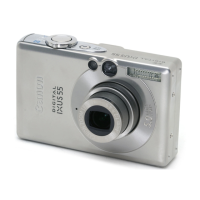
Do you have a question about the Canon Digital IXUS55 and is the answer not in the manual?
Charge the battery before first use or when 'Change battery pack' message appears.
Slide battery cover, push lock, and insert battery until it clicks into place.
Insert memory card until it clicks, then close the slot/battery cover.
Push memory card until it clicks, then release. Compatible with SD and MultiMediaCards.
Set the date and time using camera buttons. It can also be adjusted via the Set up menu.
Adhere to safety warnings concerning flash, impacts, handling cords, and using recommended accessories.
Avoid placing camera in back pockets to prevent damage to the LCD monitor.
 General
| Sensor Type | CCD |
|---|---|
| Resolution | 5.0 megapixels |
| Optical Zoom | 3x |
| LCD Screen Size | 2.5 inches |
| Image Processor | DIGIC II |
| ISO Sensitivity | Auto, 50, 100, 200, 400 |
| Video Recording | 640 x 480 at 30 fps |
| Type | Compact Digital Camera |
| Brand | Canon |
| Model | Digital IXUS 55 |
| Digital Zoom | 4x |
| Supported Flash Memory | SD, MMC |
| Shutter Speed | 15 - 1/1500 sec |
| Storage Media | SD Card |
| Battery Type | NB-4L Lithium-ion |
| Image Sensor | 1/2.5-inch CCD |
| Weight | 130 g |









 To Next Page