143
With a printer compatible with direct printing, you can easily print
images specified with DPOF.
1
Prepare to print.
¡ See page 121, 122. See “Setting the
Camera” and “Connecting the
Camera to the Printer” (steps 1 to 5).
2
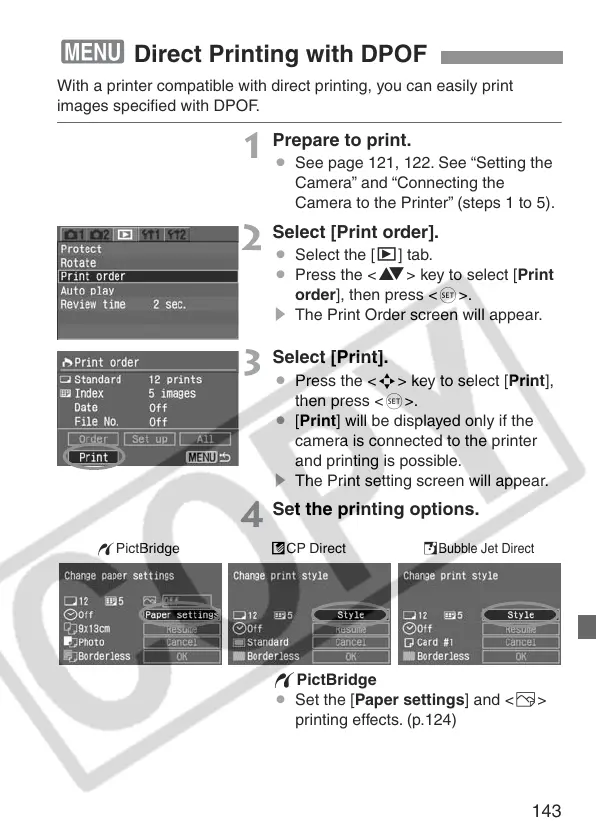
Select [Print order].
¡ Select the [x] tab.
¡ Press the <V> key to select [Print
order], then press <0>.
s The Print Order screen will appear.
3
Select [Print].
¡ Press the <S> key to select [Print],
then press <0>.
¡ [Print] will be displayed only if the
camera is connected to the printer
and printing is possible.
s The Print setting screen will appear.
4
Set the printing options.
wPictBridge
¡ Set the [Paper settings] and <E>
printing effects. (p.124)
3 Direct Printing with DPOF
wPictBridge S
Bubble Jet Direct
ACP Direct





 To Next Page