2. Other Methods of Selecting the AF Focusing Point
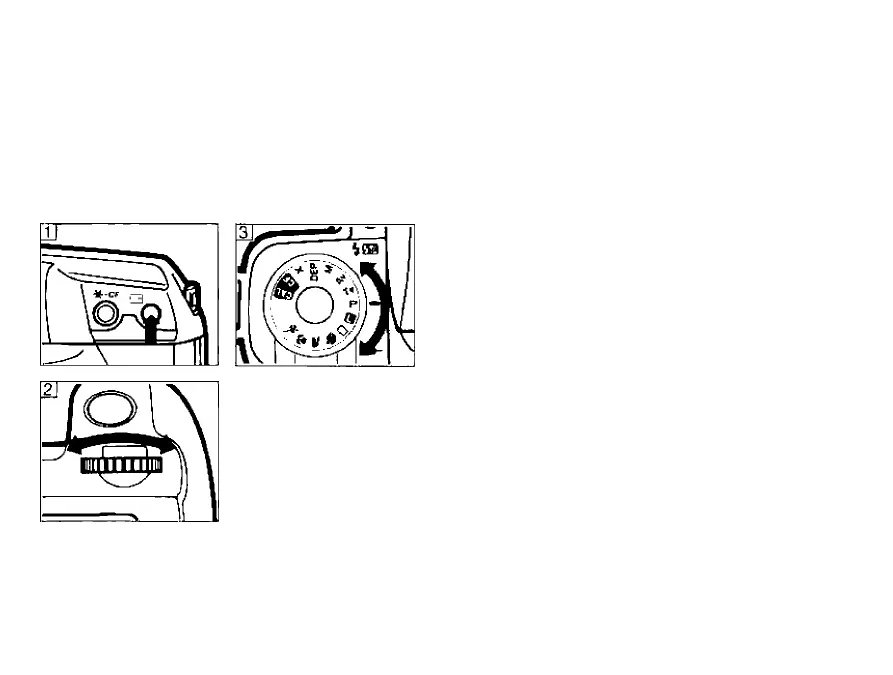
Manual focusing point selection
At any time in creative zone, you can ma
nually select the desired AF frame in the
viewfinder using the main dial.
1) Press the AF focusing point selection but
ton.
• The currently selected AF frame lights
red in the viewfinder and the AF focus
ing point indicator blinks in the LCD
panel.
2) Turn the main dial to select the desired fo
cusing point.
• The selected AF frame lights red in the
viewfinder and the AF focusing point in
dicator blinks in the LCD panel.
• The setting is completed when the
shutter button is pressed halfway or
after six seconds elapse.
3) Turn the command dial to the desired
shooting mode and take a picture.
• The camera focuses using the ma
nually selected AF focusing point.
25



 To Next Page