Basic Operation
<0 > Using the Quick Control Dial for Selecting
Before using the < 0 > dial, set the power switch to
<....J
>.
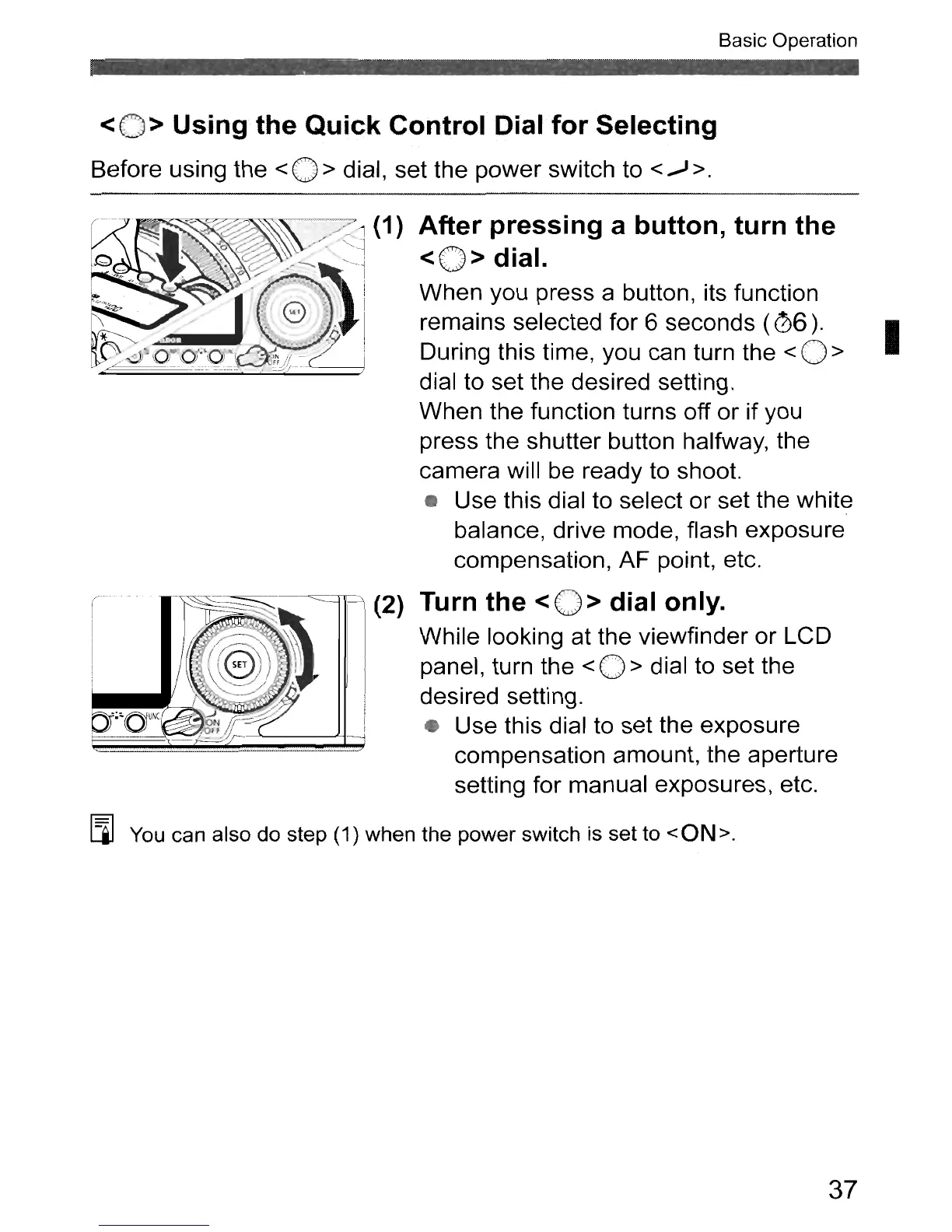
After pressing a button, turn the
<0>
dial.
When you press a button, its function
remains selected for 6 seconds (
06
).
During this time, you can turn the < 0 >
dial to set the desired setting.
When the function turns off or if you
press the shutter button halfway, the
camera will be ready to shoot.
• Use this dial to select or set the white
balance, drive mode, flash exposure
compensation, AF point, etc.
(2)
Tu
rn
the <
0>
dial only.
While looking at the viewfinder or LCD
panel, turn the
< 0 > dial to set the
desired setting.
• Use this dial to set the exposure
compensation amount, the aperture
setting for manual exposures, etc.
[lJ
You
can also do step (1) when the power switch is set to <ON>.
37
I












 To Next Page