61
Advanced Operations
3
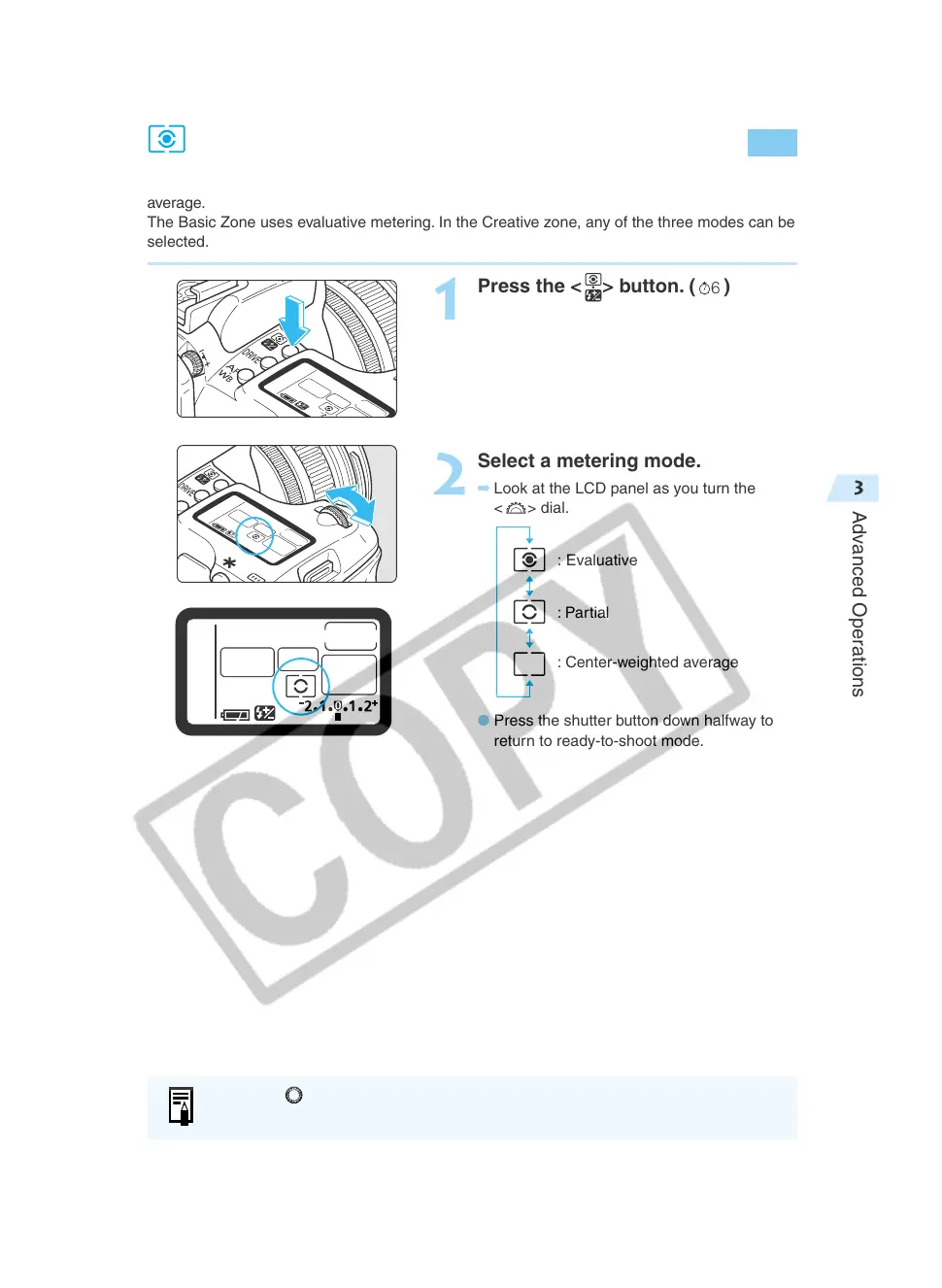
Selecting a Metering Mode
The EOS D60 uses three modes for metering: Evaluative, Partial, and Center-weighted
average.
The Basic Zone uses evaluative metering. In the Creative zone, any of the three modes can be
selected.
1
Press the <
> button. (
6
)
2
Select a metering mode.
➡ Look at the LCD panel as you turn the
<
> dial.
: Evaluative
: Partial
: Center-weighted average
● Press the shutter button down halfway to
return to ready-to-shoot mode.
Turn the < > dial to set the flash exposure compensation for the built-in/optional
flash (→91).













 To Next Page