98
Viewing Recorded Images
The EOS D60 can display recorded images on its LCD monitor. You can view these images in
single-image format, index format, or enlarged format. Press the <
> button to switch
formats.
Viewing a Single Image
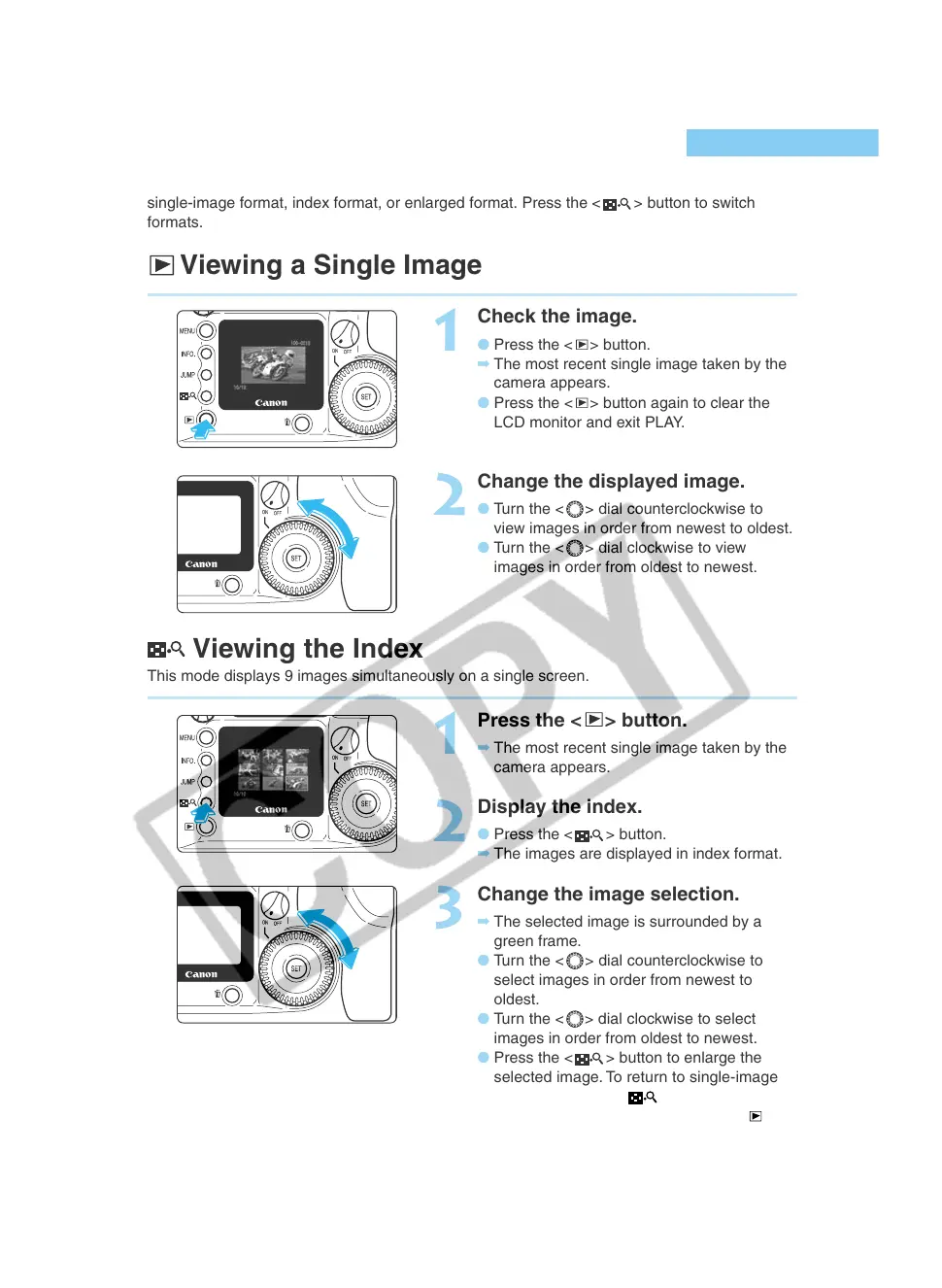
1
Check the image.
● Press the < > button.
➡ The most recent single image taken by the
camera appears.
● Press the <
> button again to clear the
LCD monitor and exit PLAY.
2
Change the displayed image.
● Turn the < > dial counterclockwise to
view images in order from newest to oldest.
● Turn the <
> dial clockwise to view
images in order from oldest to newest.
Viewing the Index
This mode displays 9 images simultaneously on a single screen.
1
Press the < > button.
➡ The most recent single image taken by the
camera appears.
2
Display the index.
● Press the <
> button.
➡ The images are displayed in index format.
3
Change the image selection.
➡ The selected image is surrounded by a
green frame.
● Turn the < > dial counterclockwise to
select images in order from newest to
oldest.
● Turn the <
> dial clockwise to select
images in order from oldest to newest.
● Press the <
> button to enlarge the
selected image. To return to single-image
display, press the <
> button again.
● When you finish viewing, press the <
>
button.













 To Next Page