82
Self-timer Operation
Using the Eyepiece Cover
If you take a picture using the self-timer or remote switch (optional) without looking through the
viewfinder, stray light can enter the eyepiece and affect the exposure. To prevent this, attach
the eyepiece cover to the viewfinder eyepiece before taking the picture.
1
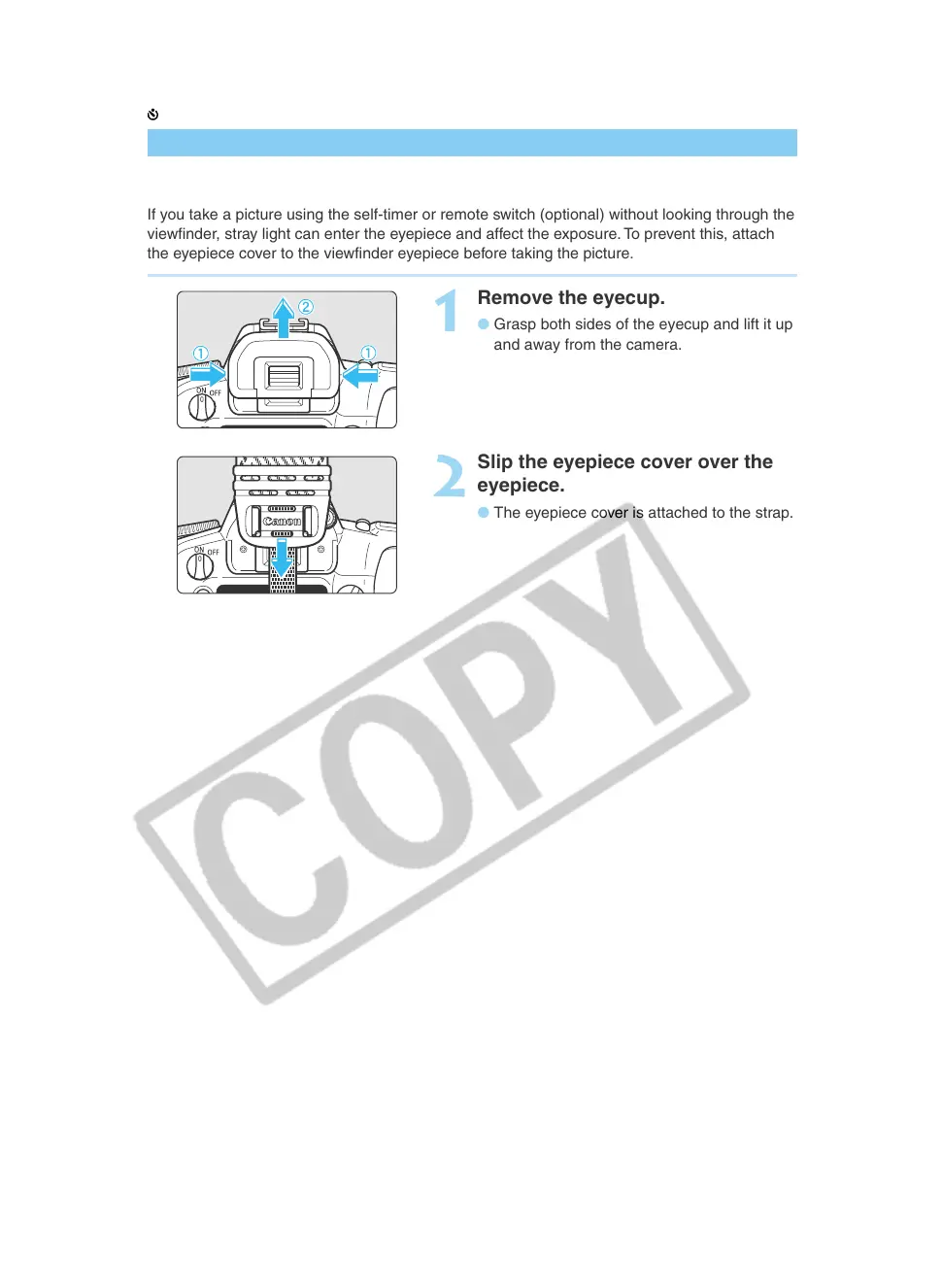
Remove the eyecup.
● Grasp both sides of the eyecup and lift it up
and away from the camera.
2
Slip the eyepiece cover over the
eyepiece.
● The eyepiece cover is attached to the strap.













 To Next Page