190
Image Stabilization
You can adjust the Image Stabilizer (IS) setting when using IS-equipped
EF-M lenses. For details on [
k
Digital IS], see
=
235.
1
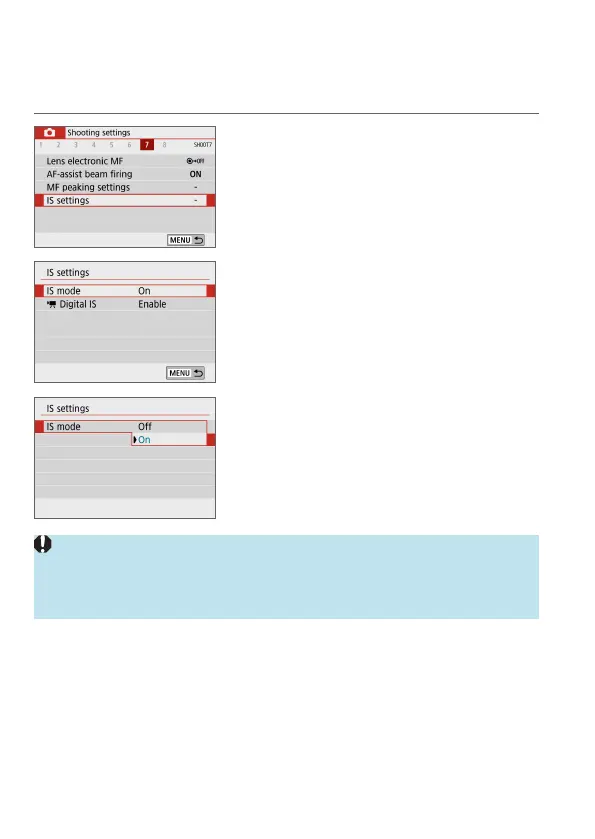
Select [z: IS settings].
2
Select [IS mode].
3
Set an option.
z
[O]
Deactivates image stabilization.
z
[On]
Camera shake will be corrected.
z
[IS mode] is not displayed for IS-equipped EF or EF-S lenses.
z
If image stabilization cannot prevent camera shake, mount the camera on a
tripod or take other measures to hold it still. Additionally, you should set [IS
mode] to [O] when using a tripod or other means to secure the camera.






 To Next Page