261
Magnified Image Display
You can magnify your captured images.
(
)
1
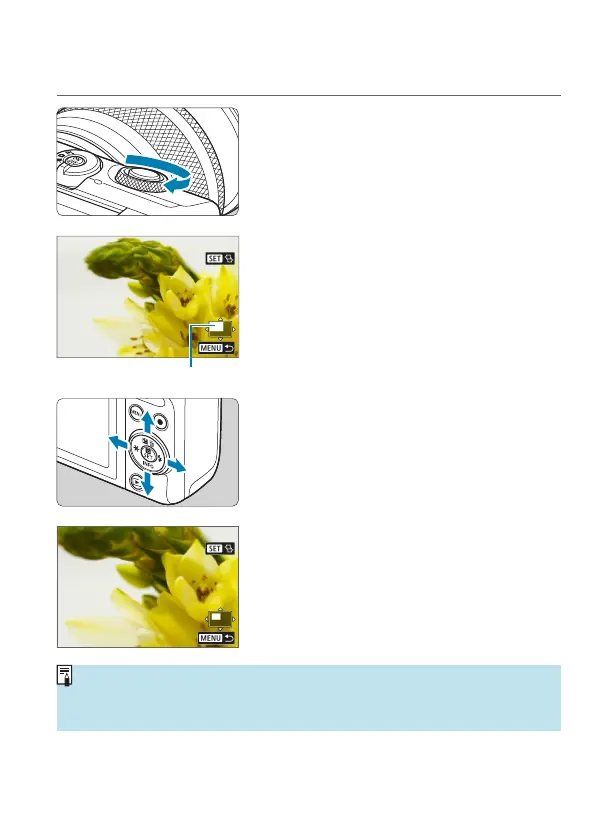
Magnify the image.
z
During image playback, turn the <
6
>
dial clockwise. In magnied view, the
position of the magnied area (1) is
shown in the lower right of the screen.
2
Scroll the image.
z
Press the <
V
> cross keys to scroll the
image vertically and horizontally.
z
To keep the same position magnied while switching images, tap [
g
] in
the upper right of the screen, then press the <
Y
> <
Z
> keys while [
f
] is
displayed.














 To Next Page