EasyManua.ls Logo

Canon F-73 - Page 6

Canon F-73
29 pages
Print Icon
To Next Page IconTo Next Page
To Previous Page IconTo Previous Page
Loading...
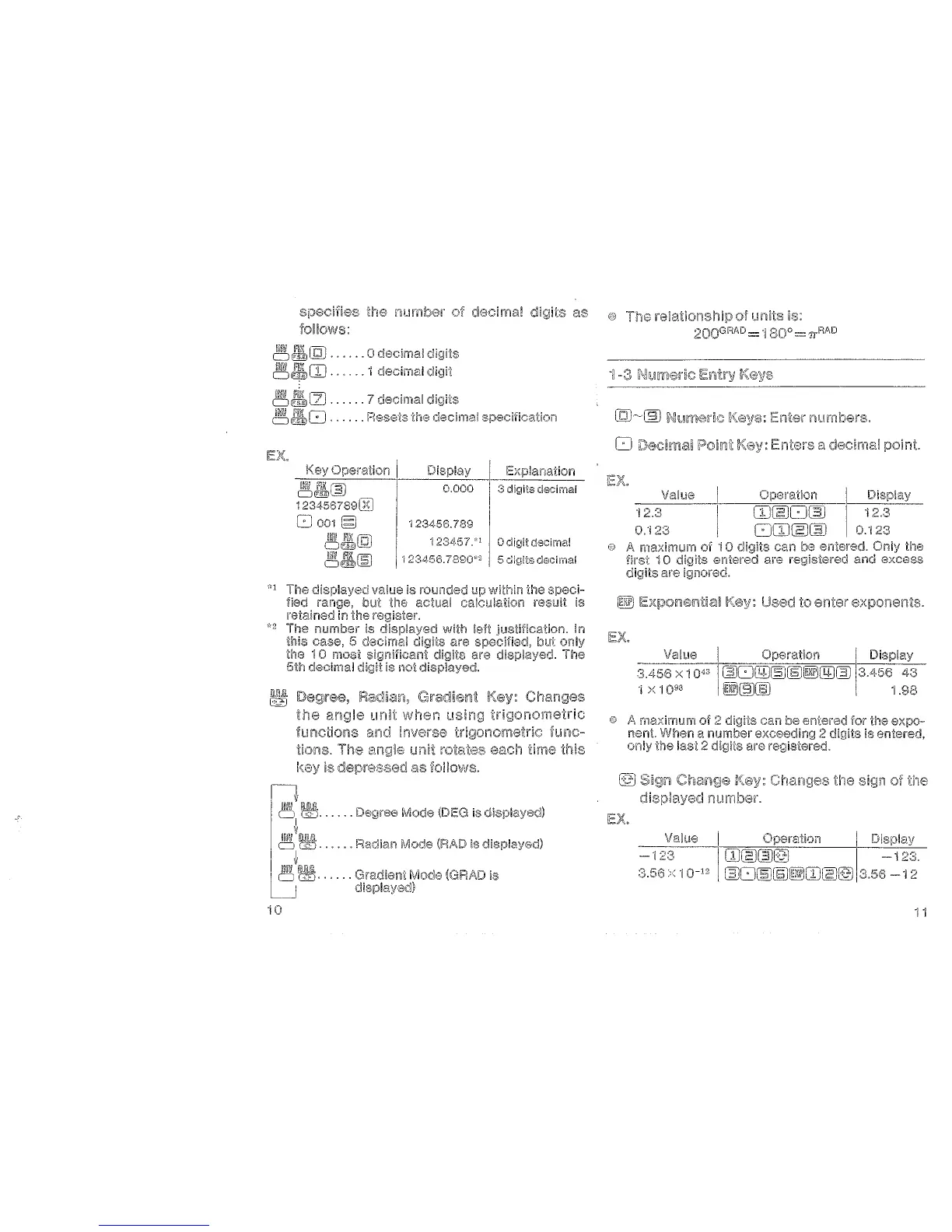
the number clecimal
as e The
of units is:
2QQGRAD
=
·1
80o =
11
RAD
follows:
~~LQ)
......
0
decimal
digits
~J'l\[]J
......
1 clecimal
digit
I~
f'ill
1-fi
7 ' . I
d"
..
DIT©lL.J
......
oee~ma
IQI£S
~~8
...... Resets
the
decimal
specification
10
Operalion j
~~~
1
8oo1§
functions
Display
Explanation
0.000
3 digits decimal
123456.789
123457.
Odigi!decimal
·123t~56.7890"
2
5
di~Jtts
decimal
unit rotates each time this
as follows.
.....
Degree Mode (DEG is
......
Radian
(R,<\D
is
displayed)
(GRAD is
Enter numbers.
Enters a decimal
Value
Operation
Display
0:123
[]J~c:J~
c:J[]J~~
i 2.3
0.1
can be entered.
Only
the
are registered and
excess
Used to enter exponents.
Vallie I Operation
3.456
X 1 0
43
~CJQIJ~(§]~(!IJ~
•j
><
"I
0
93
I 1
.98
maximum
of
can
be entered for the
expo-
nent
When a exceeding 2 digits is entered,
only
tile
last
2 digits are registeredo
the
the
Value Opere.tion
-
0
1
rn~~l9
~3.56
·1
0-
12
~c:J~~~(]J~(9
1 i

Related product manuals