i
/sic recording
hooting Video and Taking
Photos
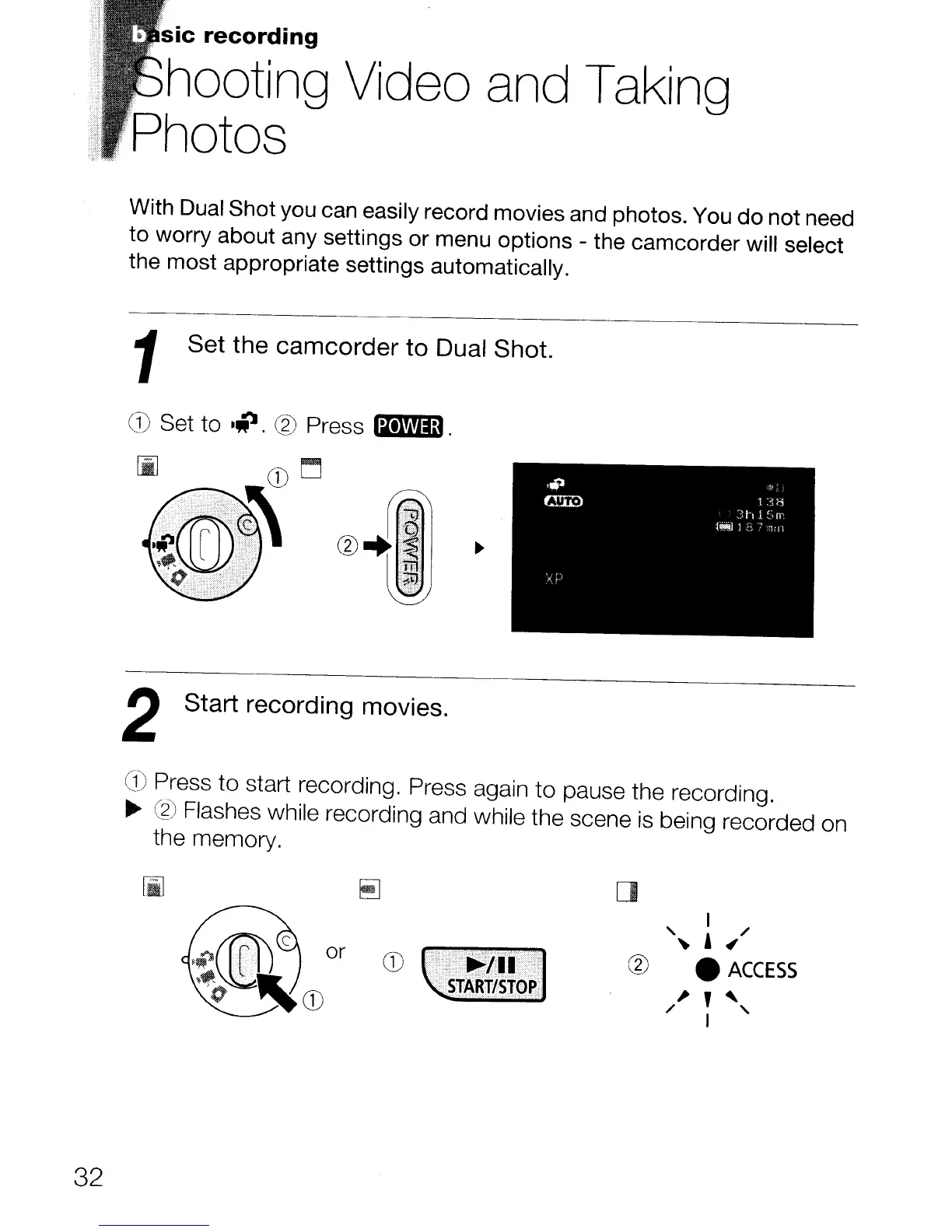
With Dual Shot you can easily record movies and photos. You do not need
to worry about any settings or menu options - the camcorder
will
select
the most appropriate settings automatically.
1
Set the camcorder to Dual Shot.
G)
Set to
·iJ.
®
Press
Ii+l!llm.
2 Start recording movies.
a)
Press to start recording. Press again to pause the recording.
..
~)
Flashes while recording and while the scene
is
being recorded on
the memory.
32
r::l
lAJ
[]
I /
'~
,
~
®
e
ACCESS
/~
~
~,



 To Next Page