.,
sic
recording
/ sing the Zoom
By default,
the
camcorder
uses the 37x Optical
Zoom
when recording
photos
and Advanced
Zoom
to
record movies. With Advanced Zoom, the
camcorder
processes the image digitally
to
obtain a zoom range beyond
that
of
the Optical
Zoom
but
without
any deterioration in image quality.
The maximum zoom range
of
the Advanced Zoom
depends
on the
camcorder
and its settings.
_t
See Selecting the
Zoom
Type,
36
for
details.
CD
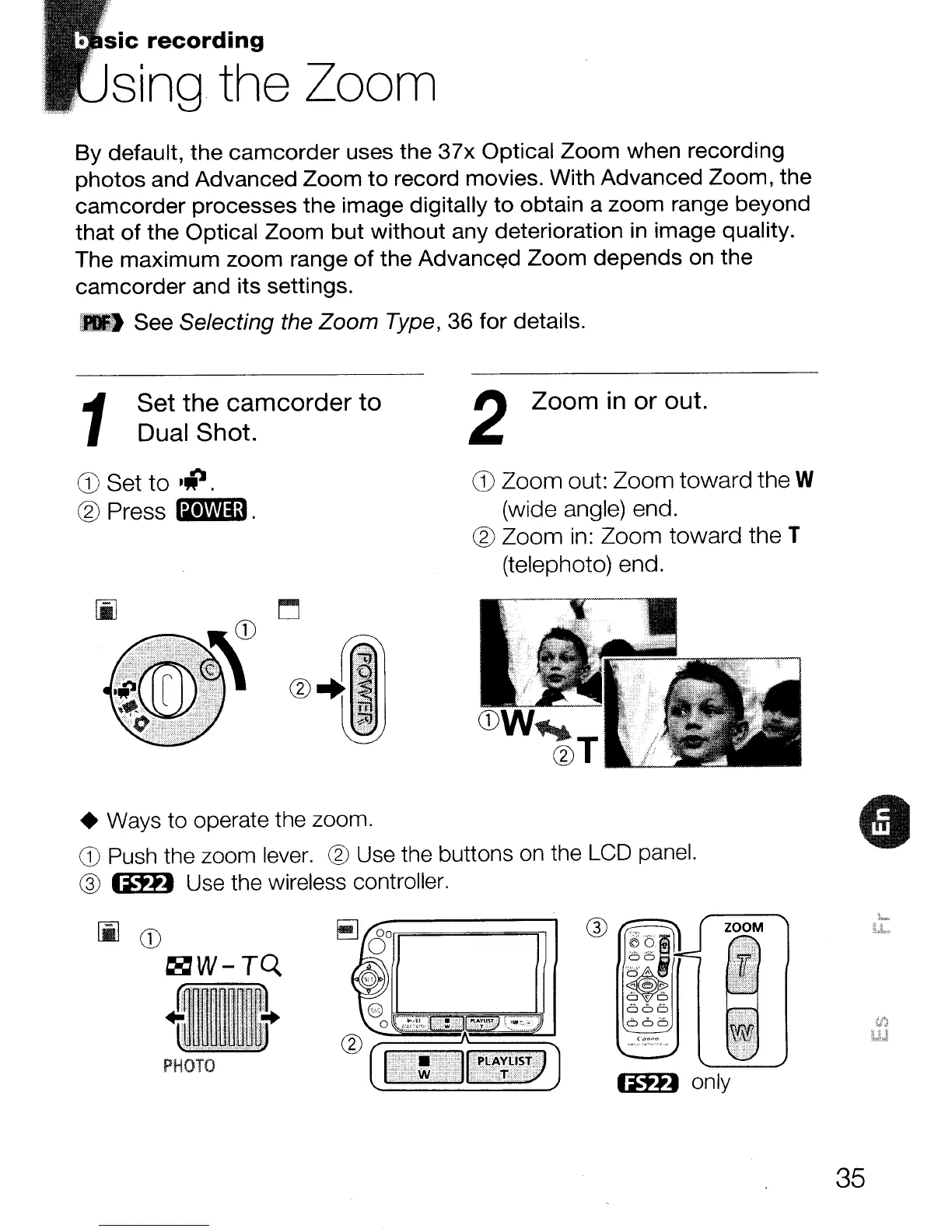
Set
to
•
.p.
@Press
am.
1
Set the camcorder
to
Dual Shot.
2 Zoom
in
or
out.
CD
Zoom out: Zoom toward the W
(wide angle) end.
® Zoom
in:
Zoom toward the T
(telephoto) end.
• Ways
to
operate the zoom.
G) Push the zoom lever. @ Use the buttons on the LCD panel.
@
IftD
Use the wireless controller.
IftD
only
[i]CD
~W-TQ
PHOTO
®
,-:::=.~
W
~
666
660
ZOOM
35



 To Next Page