EasyManua.ls Logo

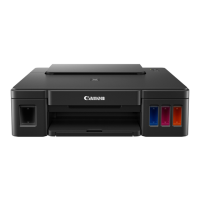
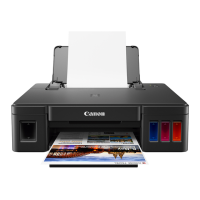
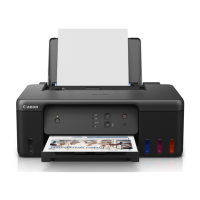
Canon G1230 - User Manual

Canon G1230
268 pages
Print Icon
To Next Page IconTo Next Page
Loading...
G1030 series
Online Manual
English

Table of Contents

Question and Answer IconNeed help?

Do you have a question about the Canon G1230 and is the answer not in the manual?

Summary

Handling Paper, Ink Tanks, etc.

If Printing Is Faint or Uneven

Maintenance Procedure

Steps to perform maintenance to resolve blurred or uneven print results.

Cleaning the Print Head

Instructions on how to clean the print head to fix print quality issues.

Cleaning

Printing

Printing from Application Software (Windows Printer Driver)

Updating the Driver

Printing from Application Software (macOS)

Frequently Asked Questions

Printer Does Not Print

Troubleshooting steps for when the printer fails to print.

Printer Does Not Pick Up or Feed the Paper;No Paper Error

Solutions for paper feeding issues or 'no paper' errors.

Printing Problems

Printout (Copy) Results Are Unsatisfactory

Troubleshooting for unsatisfactory print results like streaks or uneven colors.

Lines Are Misaligned;Distorted

Guidance for resolving issues with misaligned or distorted print lines.

Paper Is Smudged;Printed Surface Is Scratched;Ink Blots;Paper Curl

Mechanical Problems

Printer Does Not Turn On

Steps to troubleshoot when the printer does not power on.

USB Connection Problems

Solutions for issues related to the printer's USB connection.

Installation and Download Problems

Failed to MP Drivers (Printer Driver) Installation (Windows)

Troubleshooting for problems during MP Drivers installation on Windows.

Cannot Proceed Beyond Printer Connection Screen (Cannot Find Printer Connected via USB)

Guidance for when the printer connection screen cannot be passed.

Errors and Messages

List of Support Codes for Printer Errors

What to Do When Paper Is Jammed

Removing Jammed Paper through Paper Output Slot

Instructions for removing jammed paper from the output slot.

Removing Jammed Paper inside Printer

Procedure for clearing jammed paper from within the printer.

Summary

Handling Paper, Ink Tanks, etc.

If Printing Is Faint or Uneven

Maintenance Procedure

Steps to perform maintenance to resolve blurred or uneven print results.

Cleaning the Print Head

Instructions on how to clean the print head to fix print quality issues.

Cleaning

Printing

Printing from Application Software (Windows Printer Driver)

Updating the Driver

Printing from Application Software (macOS)

Frequently Asked Questions

Printer Does Not Print

Troubleshooting steps for when the printer fails to print.

Printer Does Not Pick Up or Feed the Paper;No Paper Error

Solutions for paper feeding issues or 'no paper' errors.

Printing Problems

Printout (Copy) Results Are Unsatisfactory

Troubleshooting for unsatisfactory print results like streaks or uneven colors.

Lines Are Misaligned;Distorted

Guidance for resolving issues with misaligned or distorted print lines.

Paper Is Smudged;Printed Surface Is Scratched;Ink Blots;Paper Curl

Mechanical Problems

Printer Does Not Turn On

Steps to troubleshoot when the printer does not power on.

USB Connection Problems

Solutions for issues related to the printer's USB connection.

Installation and Download Problems

Failed to MP Drivers (Printer Driver) Installation (Windows)

Troubleshooting for problems during MP Drivers installation on Windows.

Cannot Proceed Beyond Printer Connection Screen (Cannot Find Printer Connected via USB)

Guidance for when the printer connection screen cannot be passed.

Errors and Messages

List of Support Codes for Printer Errors

What to Do When Paper Is Jammed

Removing Jammed Paper through Paper Output Slot

Instructions for removing jammed paper from the output slot.

Removing Jammed Paper inside Printer

Procedure for clearing jammed paper from within the printer.

Canon G1230 Specifications

General IconGeneral
Print TechnologyInkjet
Maximum Print Resolution4800 x 1200 dpi
FunctionsPrint
Product TypeInkjet Printer
Borderless PrintingYes
Ink TypePigment Black, Dye-based Color Inks
Ink Cartridge Configuration4 individual cartridges: Black, Cyan, Magenta, Yellow
ConnectivityUSB 2.0
Paper Sizes SupportedA4, A5, B5, Letter, Legal, Envelopes
Paper Input Capacity100 sheets
Operating Systems CompatibilityWindows
Dimensions (W x D x H)445 x 330 x 135 mm

Related product manuals