EasyManua.ls Logo

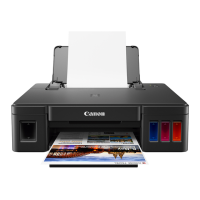
Canon G1000 series - User Manual

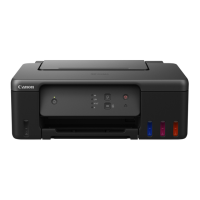
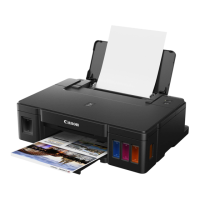
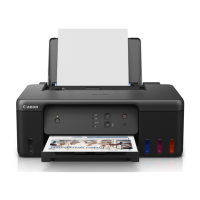
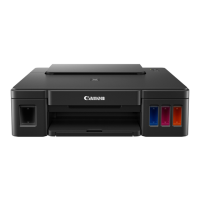
Canon G1000 series
296 pages
Print Icon
To Next Page IconTo Next Page
Loading...
G1000 series
Online Manual
Printer Functions
Overview
Printing
Troubleshooting
English

Table of Contents

Other manuals for Canon G1000 series

Questions and Answers

Summary

Printer Operations Guide

Paper and Ink Management

Loading Paper and Envelopes

Instructions for loading different types of paper and envelopes.

Refilling Ink Tanks and Checking Status

Procedure for refilling ink tanks and monitoring ink levels.

Printer Maintenance Procedures

Resolving Print Quality Issues

Steps to fix faint or uneven printing results.

Cleaning Printer Components

Guides for cleaning printer exterior, interior, and rollers.

Printer Overview and Specifications

Ensuring Optimal Print Results

Tips for achieving high-quality prints.

Printing from Computer

Troubleshooting Printer Issues

Common Printing Problems

Solutions for printing failures like no start or paper jams.

Mechanical and Connectivity Issues

Troubleshooting power, connection, and mechanical problems.

Error Codes and Messages

Explanation of printer error codes and messages.

List of Support Codes for Errors

Reference guide for printer support codes and their causes.

Canon G1000 series Specifications

General IconGeneral
Print TechnologyInkjet
Print Resolution4800 x 1200 dpi
Number of Ink Bottles4
Duplex PrintingManual
Ink Tank SystemYes
Ink TypeCyan, Magenta, Yellow
ConnectivityUSB
Supported Paper SizesA4, A5, B5, Letter, Legal, 4x6", 5x7", Envelopes (DL, COM10)
Operating System SupportWindows
FunctionsPrint
Borderless PrintingYes
Print Speed (Black)8.8 ipm
Print Speed (Color)5.0 ipm

Related product manuals