1
ENGLISH
Setting Up the Printer
1. Box Contents
•
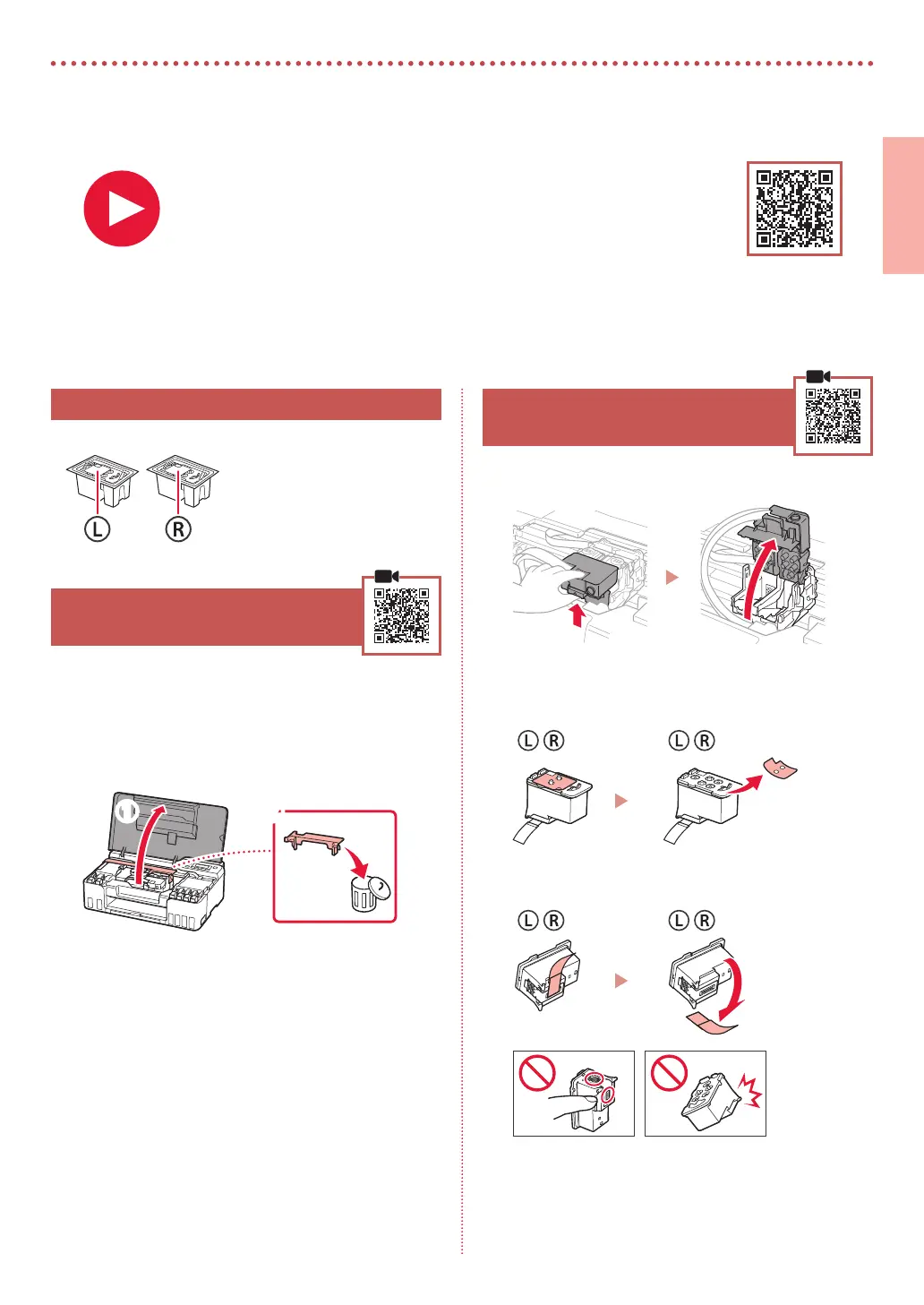
Print Heads
•
Ink Bottles
•
Power Cord
•
Setup CD-ROM
•
Safety and Important Information
•
Getting Started (this manual)
2. Removing Packing Materials
1
Remove and dispose of any packing materials
and orange tape.
2
Open the top cover, remove and dispose of the
orange tape and protective material inside.
a b
3. Installing the Print Heads
1
Open the print head locking cover.
2
Take out each print head from the package and
remove the label.
3
Remove the orange tape.
For Setup, visit the URL
https://ij.start.canon
or scan the code with your mobile device
•
Follow the instructions below if you do not have an internet connection.


 To Next Page