Video
34
• Press again to pause the
playback.
• Press to stop the playback
and return to the scene index
screen.
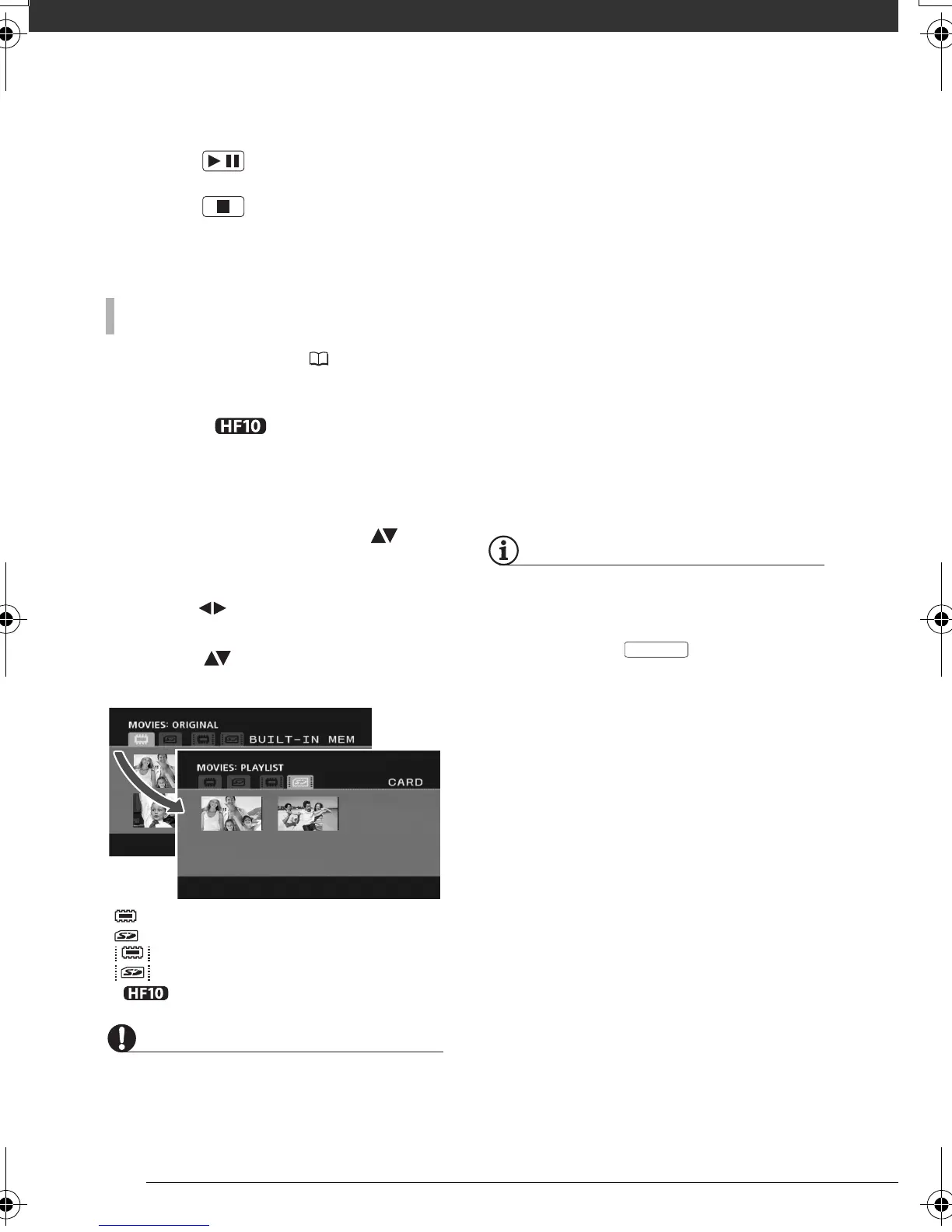
After creating a playlist ( 52), you can
switch between the original movies and
the playlist you edited according to
your choice. You can also switch
between the scenes or playlist recorded
in the built-in memory and those
recorded on the memory card.
1 In the index screen, move ( ) the
orange selection frame to the tabs
on the top of the screen.
2 Select ( ) the location of the
scenes you want to play back.
3 Return ( ) to the index screen to
select the scene.
IMPORTANT
• Observe the following precautions while
the
ACCESS indicator is on or flashing.
Failing to do so may result in permanent
data loss.
- Do not open the memory card slot
cover.
- Do not disconnect the power source
or turn off the camcorder.
- Do not change the position of the
mode dial.
• You may not be able to play back with
another AVCHD device the movies you
recorded on the memory card with this
camcorder. In such case, play back the
movies on the memory card using this
camcorder.
• You may not be able to play back with
this camcorder movies recorded using
another AVCHD device.
NOTES
• Depending on the recording conditions,
you may notice brief stops in video or
sound playback between scenes.
• You can press on the wireless
controller to switch between the original
movies index screen and the playlist of
the respective memory.
TO SELECT WHICH SCENES TO PLAY BACK
/
Original movies in the built-in memory*
Original movies on the memory card
Playlist in the built-in memory*
Playlist on the memory card
* only.
PLAYLIST
D128_PAL_E.book Page 34 Thursday, March 6, 2008 7:53 PM










 To Next Page