Video
46
- Changing lighting conditions
- Close-ups
- Subjects in a single color (sky, sea or
forest)
- Under mercury lamps and certain
types of fluorescent lights
• Depending on the type of fluorescent
light, optimal color balance may not be
obtained with [ FLUORESCENT] or
[ FLUORESCENT H]. If the color looks
unnatural, adjust it using [ AUTO] or
[SET].
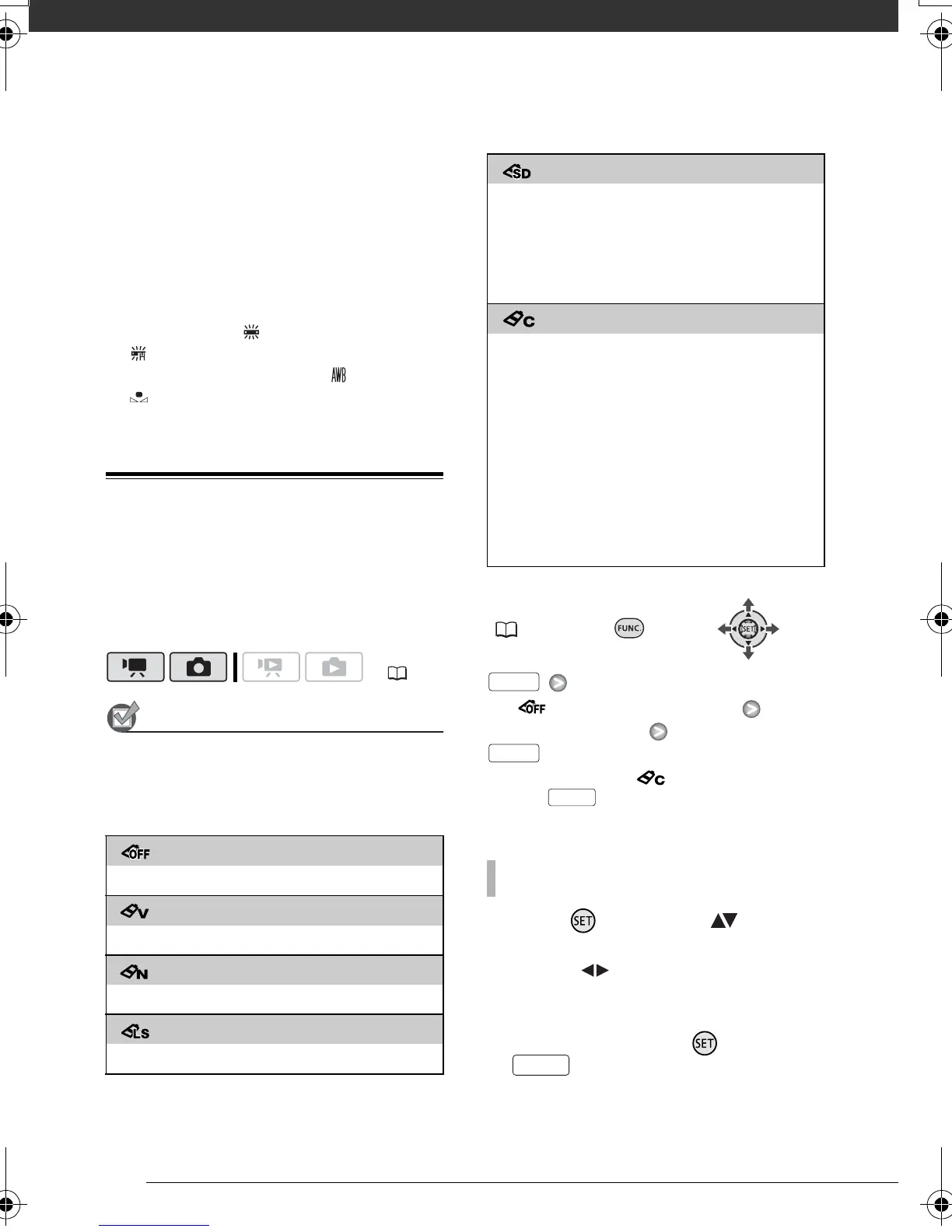
Image Effects
You can use the image effects to
change the color saturation and
contrast to record images with special
color effects.
POINTS TO CHECK
Select a recording mode other than the
Special Scene recording programs.
Options
Default value
FUNC.
( 24)
[ IMAGE EFFECT OFF]
Desired option*
* When you select [ CUSTOM], do not
press and continue instead with the
following procedure.
1 Press and select ( ) the
custom setting options.
2 Adjust ( ) each setting as
desired.
3 When you finish all the
adjustments, press then
to save the setting and
close the menu.
( 22)
[ IMAGE EFFECT OFF]
Records with no image enhancing effects.
[ VIVID]
Emphasizes the contrast and color saturation.
[ NEUTRAL]
Tones down the contrast and color saturation.
[ LOW SHARPENING]
Records subjects with softened outlines.
[ SOFT SKIN DETAIL]
Softens the details in the skin tone area for a
more complimentary appearance. To obtain the
best effect, use this setting when recording a
person in close-up. Note that areas similar to the
skin color may lack in detail.
[CUSTOM]
Allows you to adjust the color depth, brightness,
contrast, and sharpness of the image.
[COL.DEPTH]: (–) Shallower colors,
(+) Richer color tonality
[BRIGHTN.]: (–) Darker picture,
(+) Brighter picture
[CONTRAST]: (–) Flatter picture,
(+) More defined light and shade
[SHARPNESS]: (–) Vaguer outlines,
(+) Sharper outlines
TO SET THE CUSTOM IMAGE EFFECT
FUNC.
FUNC.
FUNC.
FUNC.
D128_PAL_E.book Page 46 Thursday, March 6, 2008 7:53 PM










 To Next Page