73
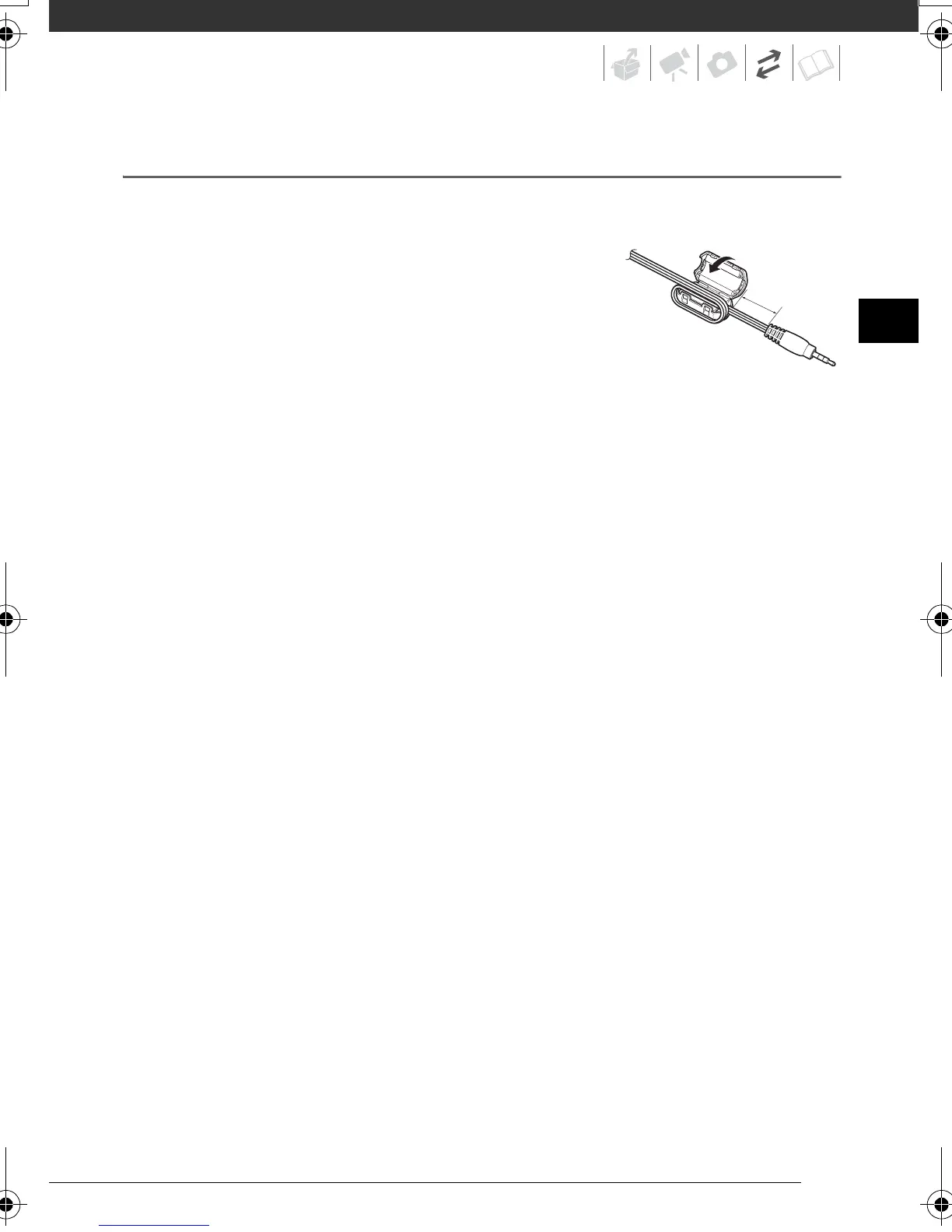
Attaching the Ferrite Core
Attach the enclosed ferrite core before you connect the STV-250N Stereo Video
Cable to the camcorder.
Attach the ferrite core to the cable about 10 mm from
the plug end (the plug to be connected to the
camcorder) of the STV-250N Stereo Video Cable.
Pass the cable through the centre of the core and wrap it
around the core, then close the unit until it clicks shut.
10 mm
D128_PAL_E.book Page 73 Thursday, March 6, 2008 7:53 PM










 To Next Page