EasyManua.ls Logo

Canon HV20 - User Manual

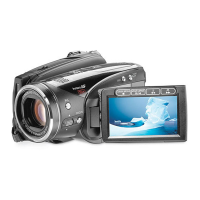
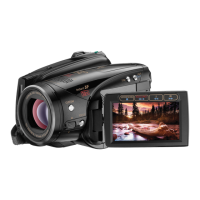
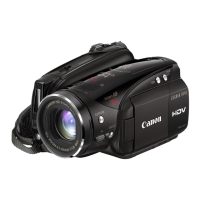
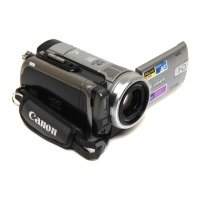
Canon HV20
114 pages
Print Icon
To Next Page IconTo Next Page
Loading...
PUB.DIM-802
Canon
HDV Camcorder I I
Instruction Manual
English
Camescope HDV I . I
Manuel d'instruction
Fran~al~
Camara HDV I I
Manual de Instrucciones Espaiiol
HV20
Mini
1);'"
Digital
Video
Cassette
...
LlV
HOm.
HDV1080i
t(
PictBridge
Please read also the following instruction manual
(electronic version on PDF file). For further details refer to
the installation gUide.
Cd"""
Veuillez lire aussi
Ie
manuel d'instruction suivant (version
electronique sur fichier PDF). Pour d'autres details referez-
vous
au
guide d'installation. I
Lea tambien el siguiente manual de instrucciones (version
eleclronica en archivo PDF). Para mayores detalles,
reflerase a la guia
de
instalacion.
Digital
Video
Software

Questions and Answers

  • J
    James JohnsonSep 6, 2025
    How to fix Canon HV20 wireless controller that will not work?
    • R
      Ray CookSep 6, 2025
      If the wireless controller for your Canon Camcorder is not working, set [WL.REMOTE] to [ON]. Also, replace the battery of the wireless controller if it is exhausted.
  • C
    Colleen DoughertyAug 25, 2025
    How to fix Canon HV20 that won't focus?
    • Z
      Zachary WilsonAug 25, 2025
      If your Canon Camcorder is not focusing, try these steps: If autofocus doesn't work on the subject, focus manually. If you are using the viewfinder, adjust it with the dioptric adjustment lever. Clean the lens with a soft lens-cleaning cloth, avoiding tissue paper. If you are using an optional Wide-converter or Tele-converter, set [AF MODE] to [NORMAL AF].
  • M
    Maria JacksonAug 25, 2025
    How to fix Canon HV20 that will not turn on?
    • J
      Jesus CardenasAug 26, 2025
      If your Canon Camcorder won't turn on, the battery pack may be exhausted. Try replacing or charging the battery pack. Also, make sure the battery pack is correctly attached.
  • D
    Deborah BlackSep 14, 2025
    What to do if Canon Camcorder is connected using the HDMI cable, but there is no picture or sound from the HDTV?
    • L
      Leslie GlennSep 14, 2025
      If your Canon Camcorder is connected using the HDMI cable, but there is no picture or sound from the HDTV, note that video input from the HDV/DV terminal cannot be output through the HDMI OUT terminal. This may also happen when playing back a tape that contains mixed recordings in different standards (HDV/DV). Disconnect the HDMI cable and then restore the connection or turn the camcorder off and then on again.
  • J
    Jimmy ReyesSep 23, 2025
    What does it mean when Canon Camcorder shows 'CARD ERROR'?
    • J
      John JacksonSep 23, 2025
      If your Canon Camcorder displays 'CARD ERROR', a memory card error occurred. The camcorder cannot record or display the image. The error may be temporary. If the message disappears after 4 seconds and a specific icon flashes red, turn the camcorder off, remove the card and reinsert the card. If the icon changes to green or yellow, you can continue recording/playback.
  • C
    Crystal WilliamsSep 10, 2025
    How to fix Canon Camcorder if there is no sound from the built-in speaker?
    • R
      Rachel FieldsSep 10, 2025
      If there is no sound from the built-in speaker of your Canon Camcorder, open the LCD panel. If the speaker volume is turned off, adjust the volume with the joystick and joystick guide in the specified mode.
  • K
    kristenmillerSep 1, 2025
    Why does my Canon HV20 switch off by itself?
    • R
      Robert MartinSep 2, 2025
      Your Canon Camcorder might be switching off by itself because the battery pack is exhausted. Replace or charge the battery pack to resolve this issue.
  • J
    Jessica ThomasSep 2, 2025
    What to do if pressing the START/STOP button will not start recording on Canon Camcorder?
    • T
      Tanya ClarkSep 2, 2025
      If pressing the START/STOP button on your Canon Camcorder does not start recording, make sure the camcorder is set to the correct mode. Also, ensure that a cassette is loaded. If “END” appears on the screen, rewind the tape or replace the cassette. If the cassette is protected and a specific icon flashes on the screen, change the position of the protect switch.
  • H
    hartmelissaSep 18, 2025
    What to do if Canon HV20 Camcorder shows 'THE TAPE IS SET FOR ERASURE PREVENTION'?
    • D
      David Chandler MDSep 18, 2025
      If your Canon Camcorder shows 'THE TAPE IS SET FOR ERASURE PREVENTION', the cassette is protected. Replace the cassette or change the position of the protect switch.
  • M
    monicamurrayAug 28, 2025
    What to do if Canon Camcorder buttons will not work?
    • H
      Heather LewisAug 28, 2025
      If the buttons on your Canon Camcorder are not working, first, ensure that the camcorder is turned on. Also, make sure a cassette is loaded.

Canon HV20 Specifications

General IconGeneral
3D-
Camcorder typeHandheld camcorder
Self-timer delay2, 10 s
Minimum illumination0.2 lx
Camera shutter speed1/2000 s
Battery typeBP-2L13
Battery capacity- mAh
Battery life (max)- h
Product colorSilver
Memory slots1
Camcorder tape typeHDV
Camcorder media typeMemory card
Disc types supportedNo
Compatible memory cardsMiniSD
Internal storage capacity- GB
DV portYes
Headphone connectivity3.5 mm
USB 2.0 ports quantityUSB 2.0 ports have a data transmission speed of 480 Mbps, and are backwards compatible with USB 1.1 ports. You can connect all kinds of peripheral devices to them.
USB 3.2 Gen 1 (3.1 Gen 1) Type-A ports quantity0
Viewfinder typeElectronic
Viewfinder resolution123000 pixels
Viewfinder screen size0.27 \
Display diagonal2.7 \
Display resolution211000 pixels
Sensor typeCMOS
Total megapixels2.96 MP
Optical sensor size1/2.7 \
Focus adjustmentAuto/Manual
Maximum video resolution1920 x 1080 pixels
Maximum image resolution2048 x 1536 pixels
Still image resolution(s)1920 x 1080, 2048 x 1536, 1440 x 1080, 848 x 480, 640 x 480
PCM digital audio12-bit/32 kHz, 16-bit/48 kHz
Weight and Dimensions IconWeight and Dimensions
Depth138 mm
Width88 mm
Height80 mm
Weight535 g

Related product manuals