4
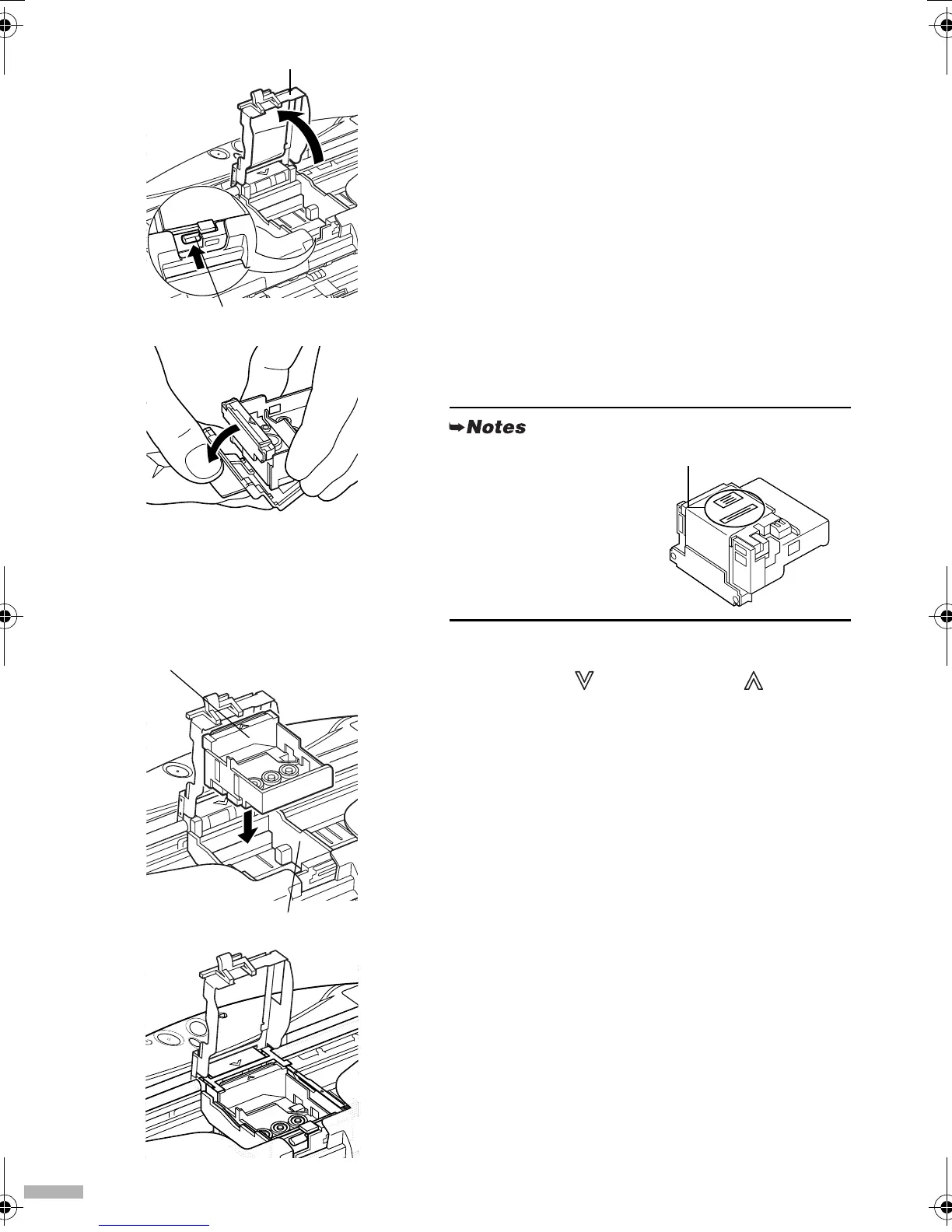
4
Press the lock button, then raise the
lock lever.
Do not touch internal parts other than the lock lever.
5
Remove the protective cap from the
print head.
6
Place the print head in the holder
aligning the mark with the mark.
• Do not touch the print
head nozzles.
• Do not attempt to
reattach the protective
cap once it has been
removed.
lock button
lock lever
print head
nozzles
print head
print head holder
i80.fm Page 4 Monday, September 29, 2003 4:59 PM



 To Next Page